Your engagement survey results have arrived on your dashboard. You’ve cleared your calendar to start action planning.
In a lot of organizations, managers do the bare minimum.
They quickly review the heatmap, plug two or three items into the action-plan template HR asked for, and send a message to their team saying thanks.
When the next cycle rolls around, participation rates drop or the comments change from specific complaints to "Nothing changes anyway."
This is bad news. While specific complaints can be addressed, this is not a good sign.
Receiving a low score on workload could mean a number of things. It could mean your employees’ roles are overloaded, there’s been a breakdown in communication between your team and another team, or perhaps there’s been a headcount freeze and everyone’s silently picking up the slack.
Each of these situations calls for a different reaction.
But if all you have is team-level data, it’s tough to tell what’s going on.
Your one-on-ones offer an opportunity to turn a team score into a reason.
How to turn survey questions into one-on-one questions while keeping responses anonymous
- 1. why are one-on-ones worth the time?
- 2. let the employee set the agenda
- 3. turn a team score into a question
- 4. don’t use a one-on-one to identify survey respondents
- How Sparkbay can help you bring survey themes into one-on-ones
- 5. choose a cadence that leaves room to talk
- 6. ask, listen and leave with a note you can use
- 7. catch the status update taking over
- 8. make the meeting work away from a desk
1. why are one-on-ones worth the time?
Because they’re the one regular chance an employee has to bring something up in a low-stakes environment.
Think about any awkwardness you’ve had with a coworker, questions you’ve had about your career, or changes you’ve struggled to get used to.
You probably wouldn’t mention these in the free-text comments of a survey (and on a small team, you’d have to be vague to avoid giving yourself away!).
And you certainly wouldn’t bring it up in a project meeting with that coworker in the room.
Andrew S. Grove, in his book High Output Management, describes the one-on-one as one of the best ways for a manager to spend time. A quick talk can influence what a person does for weeks.
Why does this matter? Well, managers with a lot of direct reports often cut one-on-ones first once their schedule fills up. This can happen right around the same moment that they hear something’s wrong from a survey.
Are you hesitant to set up one-on-ones because they don’t seem to lead to anything?
This is a different problem that has more to do with how you run your meetings or what you put on the agenda. Cancelling one-on-ones altogether won’t fix this. All you’ll do is remove the one place where people felt comfortable bringing up these concerns.
Instead, focus on how your one-on-ones are structured.
Spending 30 minutes talking through a decision that’s holding things up can save you weeks of work in the wrong direction.
One-on-one meetings also give you a chance to spot problems early, while your employee still believes it’s worth trying to speak up.
When employees believe nothing good comes from speaking up, you may only hear their perspective in their exit interview. Or maybe not even then.
Often, the difference in team engagement levels comes down to the manager.
So if you see drastically different survey results between two teams in the same function, it may make sense to dive deeper into the manager instead of the work.
Pay, staffing and strategy decisions are usually changes that impact all teams the same way, for better or worse. This would lead to a drop in scores across the whole organization, not a difference in scores between teams. If your team’s low scores match another team’s low scores, you can use your one-on-ones to understand how this issue impacts your team and refrain from coming up with team-specific fixes.
A manager’s behavior impacts whether a problem is even raised, whether people feel comfortable raising the problem, whether an action is taken, and whether the feedback loop is closed.
This critical point is often overlooked in manager training programs. If managers are taught to have better conversations, more issues will pop up that managers can’t solve on their own. Where do these issues go?
In other words, you’ve given managers an enhanced conversation skill that goes nowhere. Meanwhile, employees learn that even a better conversation doesn’t lead to change. Before embarking on a manager training program, ensure that topics raised in your survey results, such as "pay band issues" or "cross team handoff problems", have somewhere to go.
Is there a specific person in charge of dealing with these issues? Is there a timeframe for action that managers can point to?
2. let the employee set the agenda
Whose meeting is this?
At the end of the day, it should be the employee’s meeting. This way, they’re doing the preparation work that’s going to be most helpful to them based on what’s actually going on.
Keep a running document that you both update in between meetings. Your employee’s items should be at the top of the list. This ensures that you don’t start fresh every time, which can cause uncomfortable items to be dropped from consideration.
It also helps you notice when something’s been carried over for three meetings in a row.
If you want to raise a big item, make a point of sending it the day before so they have a chance to think about it. You don’t want to just send a calendar invite that says "career" or "feedback". It can put people in defense mode before they’ve even walked in.
Introduce themes from surveys as invitations, not mandates.
If you’re planning to discuss themes from surveys, consider adding a line to your agenda like, "How’s the workload feeling for the team?" after receiving a weak workload score. Phrasing it as a question makes it something that your employee can choose whether or not to address.
They may prefer to use that time to talk about a customer escalation or a potential internal move. This is valuable information. Learning what matters enough to your employees to address instead of the survey theme can be more helpful than a polite response to the survey theme.
Of course, "employee-led" doesn’t mean you should be passive. When employees first start working with a new manager, they tend to fill their one-on-one meetings with what they think is supposed to be said. A few standing prompts, such as "something that slowed you down" or "something you’d change" can give them permission to bring more authentic items to the conversation.
Once they’re consistently bringing their own items, you can retire these prompts. Otherwise, you’ll revert back to using them as your meeting template and you’ll take back control of the meeting.
As we’ll discuss more in section 9, there’s a lot of research going back to Morrison and Milliken that shows how fear and a sense of futility lead to employee silence. Offering standing prompts and encouraging employees to own the agenda are ways to combat fear.
3. turn a team score into a question
Look at your team results and choose two or three themes you can actually act on.
For instance, if your team rates pay and promotion fairly low, but nearly every other team does as well, this may be a larger company issue that’s not in your realm to solve. Themes where your team differs from the previous survey cycle or from like teams are also great focal points for your conversations.
Try not to make assumptions based on the overall numbers for your team. If your feedback tool allows, consider the distribution of the responses before drafting your questions. An average score of 6 from a survey question can be very different from a team where most people respond with a 6.
It could be that you have a large number of 8s and a small group of 4s. This would point to a potential sub-group of employees with a specific problem (e.g. a specific role, shift, workstream). On the other hand, if most people answered with a 6, this points to mild levels of dissatisfaction across the whole team.
If your growth scores are not as high as you’d like, you could ask: "What kind of work would you like to take on to challenge yourself over the next few months?"
If workload is an area where you’re hearing challenges, you can ask something like: "Think back to last week. Which tasks did you spend the most time catching up on?" This anchors the question to a specific time period so you can hear concrete examples rather than generalized feelings.
If recognition is one of your lower themes, you might ask: "When you do great work, how would you like me to acknowledge it?" Some people don’t like public praise. A low score in the recognition theme may have nothing to do with whether people want to be recognized, but how they’d like to be recognized.
Of course, your employees may tell you something entirely different, which is great!
This is far better than asking, "Why do you think the team rated recognition so low?" This question assumes one person can speak on behalf of a group to explain a survey result. This is an awkward thing to ask, and not an environment for obtaining honest answers.
What if your lowest theme is you instead? Support, fairness, communication? Again, avoid putting your employee in an awkward spot by having them interpret a score. Instead, ask a question about your behavior. For instance, "What’s one thing I could change that would make your week easier?" This allows your employee to answer, without having to agree or disagree with anything in the survey.
Here’s a simple format you can use to keep your survey conversations short and sweet:
- Your topics: Anything your employee wants to discuss during this meeting
- Team theme (if they want to discuss this): A question related to workload, growth, or any other survey result
- Before we finish: Quick check-in to close out or schedule times for any action items you both agreed to
Spending ten minutes discussing one specific topic is more useful than spending ten minutes walking through the entire dashboard.
After you’ve had a few conversations over the course of weeks, you’ll see if a theme is common across your team or perhaps specific to a certain role, shift, or workstream. This will give you insights into whether you’re dealing with a team-level process or a one-person situation.
Plus, you’ll want to ask your theme question to everyone on your team, not just the people you suspect may be experiencing a challenging time.
4. don’t use a one-on-one to identify survey respondents
Resist the temptation to turn a team result into a detective exercise.
It’s natural to be curious about who said what, but once you say something like, "I’m pretty sure it was you who said...", you run the risk of undoing all the anonymity HR built into the entire survey campaign once that comment gets back to the team.
Instead, try asking something like:
"The team flagged workload as an issue. What’s your experience with that?"
This way, the employee can share as much of their personal experience as they want without having to account for the group.
Be mindful of the difference between group feedback and an individual conversation.
Conversations can break the reporting threshold rule just as easily as data can. If your group falls below the minimum number of responses, don’t go around asking people one by one what they answered. This breaches anonymity in the same way as taking the visible sub-teams away from the parent group’s result to come up with the scores of the hidden sub-team.
There’s a big difference between asking someone about their experience and asking them how they scored an item or if they wrote a particular comment.
Comments can pose the same challenge. If it’s a small team, a comment that mentions a specific shift pattern, client, or project can almost certainly be traced back to the author.
If an employee offers that they wrote a comment, thank them and have a discussion about the issue, but don’t use this as an opportunity to ask about the rest of their survey responses.
People who self-identify in this way want change, and they’ve put their faith in you by sharing this information. Treat it as a concern raised directly to you and don’t share it with the team.
The exception to this is if you’re required by your policy to report certain instances (e.g. harassment, discrimination, safety risks). You can’t promise confidentiality, so you need to make this clear to the employee before they share any further information.
Best practice is to have HR train managers on exactly what constitutes a mandatory report before results are distributed, so that if a manager has an awkward conversation they can say something like:
"I want to hear what you have to say, but if this is related to harassment or safety I will need to pass it on. I’ll tell you who it needs to be passed on to."
How Sparkbay can help you bring survey themes into one-on-ones
At Sparkbay, we help managers understand how their own teams are doing without turning survey results into a "to call" list.
If a group doesn’t have enough responses (5 by default, configurable to your organization’s needs), we don’t show results for that group.
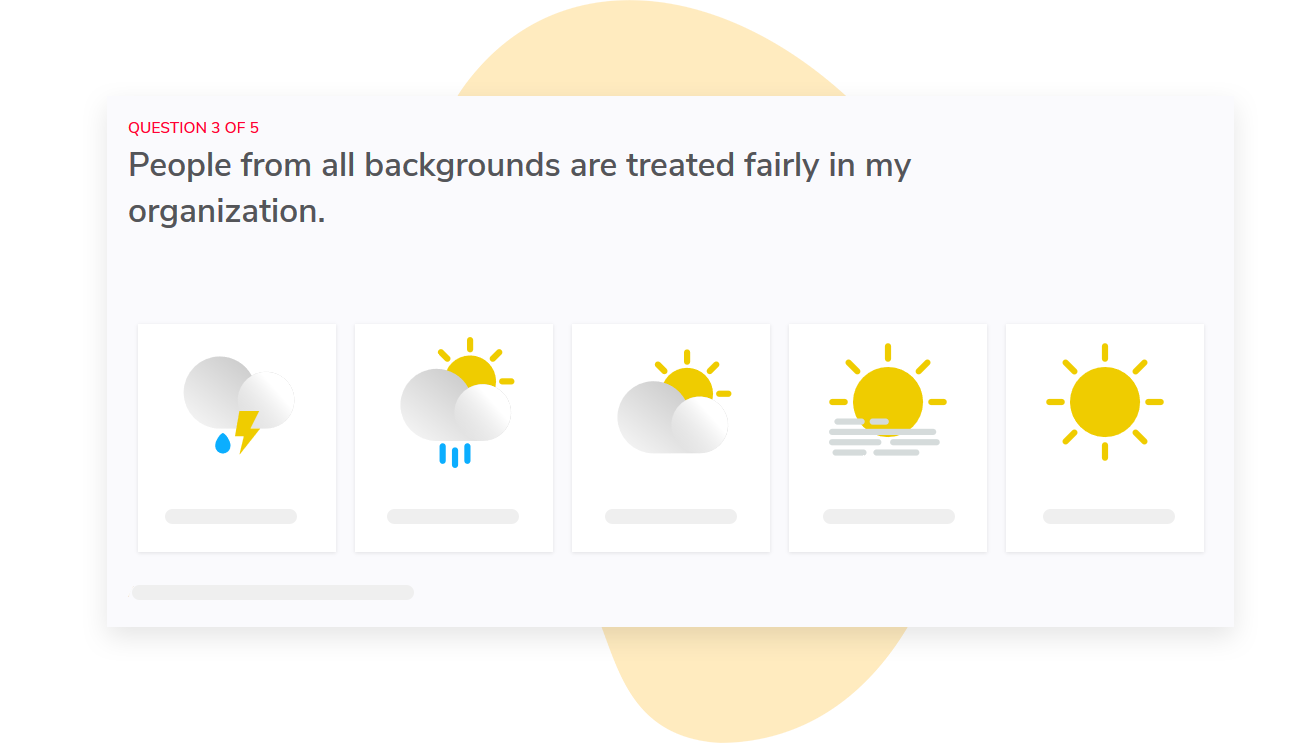
If the workload score drops in one department but holds steady elsewhere, a manager knows the conversation to have is about how work is divided within their team, not about company-wide resourcing.
Report access is mapped automatically to your org hierarchy, so each manager sees only their own teams. This ensures one-on-one conversations are focused on what a manager can actually influence.
Since you can configure the wording of your surveys and dashboards, you can present themes in the language your managers already use with their teams.
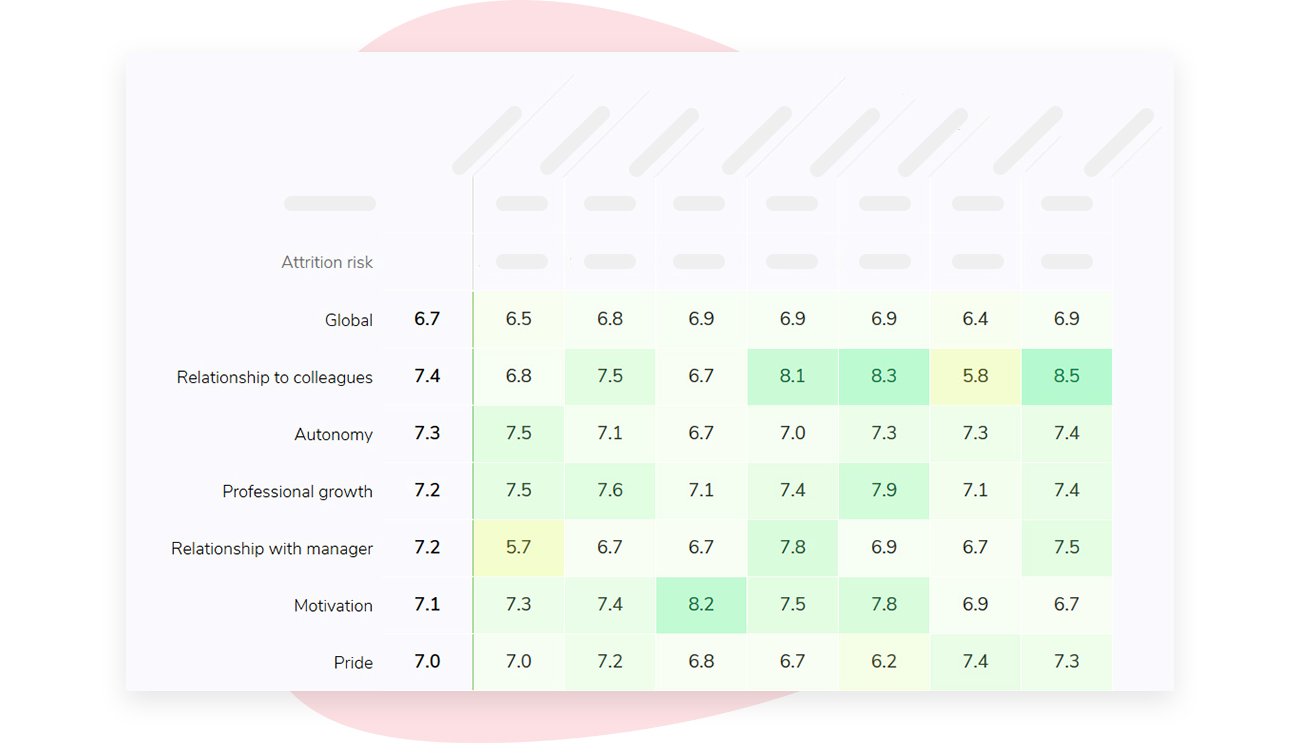
Tracking results across survey cycles helps managers see whether changes discussed in one-on-ones are moving a team’s engagement score (out of 10), instead of relying on a "gut feeling" that things feel better.
If you’re interested in learning how Sparkbay can help you build a more engaged workforce, you can click here for a demo.
5. choose a cadence that leaves room to talk
Weekly one-on-one meetings tend to turn into "What’s due Friday?" meetings.
But if you schedule them too far apart, problems can fester for weeks before making their way to you.
So how often should you hold one-on-one meetings?
This depends on the amount of work a person has, not necessarily their level or length of time at the company. You should reconsider the frequency of meetings whenever an employee’s responsibilities change.
Andy Grove calls this "task-relevant maturity", which is experience with the specific task at hand. An employee with a senior position who just took on a new region may need weekly check-ins, at least for a while, even if you’d both prefer to be left alone.
An easy rule of thumb, assuming nothing else about the employee’s role has changed, is:
- You’re meeting a new hire, someone in a new role, or someone with a new scope of work: Meet with them weekly, until they no longer have "how do I" questions.
- You’re meeting someone who’s established in their role, and they’re working on tasks that aren’t new to them: Every two weeks usually works and allows both parties to prepare something that isn’t simply an update on current tasks.
- You’ve got someone who’s working in a very autonomous way, and things seem stable: Meetings can be once a month or less, as long as the employee knows they can book time whenever they feel the need to and that they actually do so.
Some managers like to have a short weekly check-in with their employees, but also schedule a longer monthly session for career discussions, survey themes, or anything that can’t be covered in 15 minutes.
This is great, but don’t automatically default to two recurring meetings when one good meeting might suffice. Ask your employee what they need before taking up their calendar.
Be mindful of which meetings you cancel. Managers instinctively cancel meetings with the people they feel they need the least. These are often your best, more self-sufficient performers.
They then view these meeting cancellations as a sign of how much they matter at the organization. If you notice the same name popping up in your meeting cancellations, it’s time to schedule a meeting frequency you can commit to.
Finally, remember that your regular check-ins with employees are the right time to have conversations about expectation gaps. These discussions should not happen during formal reviews. Try asking your employee what they think "good" looks like for their current top priority.
If their answer is different from yours, you’ve identified an expectation gap and you can address it well before a review.
What are other signs that it’s time to re-evaluate the frequency of your one-on-one meetings?
If urgent issues keep landing on your plate that should have been flagged weeks in advance, your one-on-one meetings aren’t happening often enough.
6. ask, listen and leave with a note you can use
Suppose you ask your employee, "Any updates?" The response you get will likely be a status report. This is a great way to get information, but it limits the interaction to just that.
Try asking questions like, "What’s the biggest thing on your mind at work right now?"
Then resist the temptation to jump in with a follow-up or comment.
When managers jump in to fill silence or pauses, they wind up steering the conversation. Employees begin answering according to what the manager frames, instead of raising topics of their own.
As Michael Bungay Stanier writes in The Coaching Habit, the first thing people bring up is rarely the whole story, and managers give advice too quickly. Try asking "And what else?" a couple of times before offering solutions. The real issue often appears in the second or third answers. For example, someone may realize that they haven’t got anyone to hand off or make a particular decision.
If someone says they’re struggling with their workload, ask them what they would pause or stop if they could. This turns a complaint into a prioritization exercise. This also quickly shows you whether it’s something you can change yourself or if you need to escalate it.
Invite feedback from your employees, as well. Asking questions like, "What do I do that makes this harder?" gets more specific and useful data than the generic, "How am I doing?" Ask this question at the end of each 1:1 meeting. After a few meetings, people will feel more comfortable being more candid once they see how you handle their first answer.
How you receive feedback sets the ceiling for everything that follows. Suppose someone tells you that your last-minute requests are making their work harder. Resist the urge to launch into all the reasons why you made a last-minute request.
This is the surefire way to make sure they never raise anything like this again.
When you’re capturing notes and agreements in your shared notes, be mindful about including personal disclosures. In many jurisdictions, employees can request access to records about them (think GDPR subject access request). Your notes can also be disclosed in an employee relations dispute or tribunal.
Creating a separate "personal" file may not keep sensitive observations out of scope.
A good litmus test is to ask yourself, "Would I be comfortable if my employee read this line?" If the answer is no, consider rewording or deleting it.
7. catch the status update taking over
How do you know when status updates have taken over your one-on-one meeting?
Your employee walks in with a list of projects, walks you through the list, and then leaves without saying anything new or interesting that they could’ve easily shared in an email.
Other signs that your one-on-one meetings have turned into status updates are:
- You’re the only one asking questions
- The same project that’s delayed receives the same update week after week
- You never discuss career opportunities
When you notice status updates dominating your one-on-ones, it’s usually a sign of a larger visibility problem.
If your project tooling or team meetings were able to communicate project updates, you wouldn’t have to pull status updates in a private meeting.
Try setting aside the first 10 minutes of your meeting for something other than task updates. Use this time to ask your team member what’s been frustrating, where they’d like more time, or what they’d change.
When you find yourself drifting back towards discussions about project status, gently interrupt by saying, "Let’s set the project list aside for a minute. What’s on your mind?"
That said, you don’t need to ban status updates from your meetings entirely. Sometimes a project that keeps slipping is the best way to have a conversation about resourcing or unclear ownership.
8. make the meeting work away from a desk
Are your one-on-one meetings with remote employees held via video?
While it’s important to address camera policies and time-zone rotations, there are other things to consider. Your remote one-on-ones have to make up for the warm fuzzies that happen in the office. In-person you can easily notice when someone leaves early, eats lunch alone, or stops speaking up in a meeting.
Those sorts of checks and balances go away when you’re remote. And remember, some people may be more comfortable sharing remotely via a phone call or a walk-and-talk rather than on camera. Validate that as an option.
Make an effort to ask at least one non-task related question during each meeting. Ask something like, "Did you hear about that decision from me, or from someone else first?" Ask questions about access. Remote employees often hear about changes secondhand.
This can become a communication and belonging problem that shows up in your communication and belonging survey scores before anyone ever speaks up.
Watch for stretch assignment opportunities. If the growth theme survey questions indicate your remote employees’ scores are lower than your in-person reports, see if more visible assignments are being given to employees physically closer. This is known as proximity bias.
You can speak to this during your one-on-ones by asking questions like, "Is there a piece of work you’d like to get that’s currently being given to someone else?"
Do you have a team in multiple time zones? Ask your employee what works best and be mindful of not scheduling your one-on-one at the end of their day. You want to avoid a meeting at 9 pm.
If that means you need to take a meeting early in the morning, so be it. Consider an agenda that you can share and that your employee can add to asynchronously. This allows them to gather their thoughts and gives them the freedom to express themselves rather than speaking on the spot if English isn’t their first language.
If you notice your employee’s behaviours change, such as less contributions in team channels or they used to have their camera on and now they don’t, check in early and casually. Don’t wait and see if it resolves itself.
If you’re conducting one-on-one meetings with frontline employees, there are a few things to keep in mind. Make sure your one-on-one meetings are on paid time, during the employee’s scheduled shift, in a private room (not the break room) and that you share an agenda that’s easy to read on a smartphone.
Your frontline employees may be the last to know survey results, either because they’re posted on a noticeboard or not posted at all. Use your one-on-one meetings with employees as an opportunity to share this information and to solicit additional feedback.
Keep in mind that some of your one-on-one meetings may be with supervisors of frontline employees. With a team of 30 reports, it’s hard to justify spending 15 hours every two weeks on 30-minute biweekly one-on-one meetings. Consider alternatives like 15-minute conversations during shift handover on a rotation or short team huddles to address themes from your surveys.
In the one-on-one discussion world, there are active debates about whether a 15-minute conversation once a month is a bona fide one-on-one or just a token gesture. We’re of the opinion that a protected 20 minute conversation is better than a 60-minute meeting that gets cancelled every time the shift is short. People remember those cancellations.
If your conversation naturally leads to a discussion about rota changes or workload, don’t promise anything until you’ve checked whether there’s a collective agreement on these sorts of changes. Even if you want to make a favour or an informal change, it could violate your collective agreement or set a precedent you won’t be able to uphold. Instead, let your employee know that you’ll take it to the right person (specify who that is) and that you’ll get back to them by a specific date.
Finally, remember that while skip-levels and group sessions are useful for detecting themes across a large frontline team, they aren’t going to get personal issues out. Use these in addition to one-on-one meetings, not instead of them.
Remember that your one-on-one meetings with remote staff and frontline staff are often the only way to receive an early warning signal before issues turn into absences or a resignation. If you notice an uptick in absences, use this in your conversation and frame it in terms of workload and support rather than health and wellness to keep the conversation consistent with both confidentiality and employment law concerns.
9. avoid the silent treatment
Before you end the meeting, be clear about who will do what and by when.
For instance, "I’ll ask about staffing levels" is very different from "I’ll talk to the operations lead about Friday’s crew by Tuesday."
Once you’ve made these commitments, write them down in your shared notes and keep track of them during your next one-on-one.
If several people raised the same issue, consider providing a group level update on what’s happening.
If only one person brought up an issue, don’t deliver an update to the whole team. People will spend energy trying to figure out who the individual was. Instead, if you want to follow up on something, keep the follow up in your name only.
If the answer is no, don’t beat around the bush. Clearly say no, explain why, and ask if there’s a smaller change that may be helpful. A clear no with a reason can build more trust than a discreet follow up that never happens.
If you’ve escalated an issue and you’re waiting on someone else to take action, be sure to communicate that as well. For instance, you can say, "I’ve escalated this issue. We’re waiting on a decision.
I’ll follow up on the 15th." If people hear nothing, they may think you dropped the ball.
Exit interviews are a lagging indicator of employee sentiment. Most of the time, the reasons employees provide during an exit interview for why they’re leaving were available months ago, if someone had asked. While you won’t be able to fix everything, your exit interviews will give you a sense of issues that haven’t yet been resolved while you still have time to action them.
Don’t wait until your next survey to report back on your last survey
During your next one-on-one, open the conversation with items from your one-on-one as well as open actions from your last session.
If there’s a lot to discuss, consider revisiting the team theme and providing an update on what’s happened since the survey.
If you’re interested in learning how Sparkbay can help you build a more engaged workforce, you can click here for a demo.