
Turn survey results into team action plans
Surveys earn trust when people see something change. With Sparkbay, managers and HR can agree on what to fix, turn it into actions with due dates and see it through.
What to do once the results are in
Know where to start
On the heatmap, HR can compare drivers across teams. When a driver is low almost everywhere, one plan for everyone may work better than a plan per team.
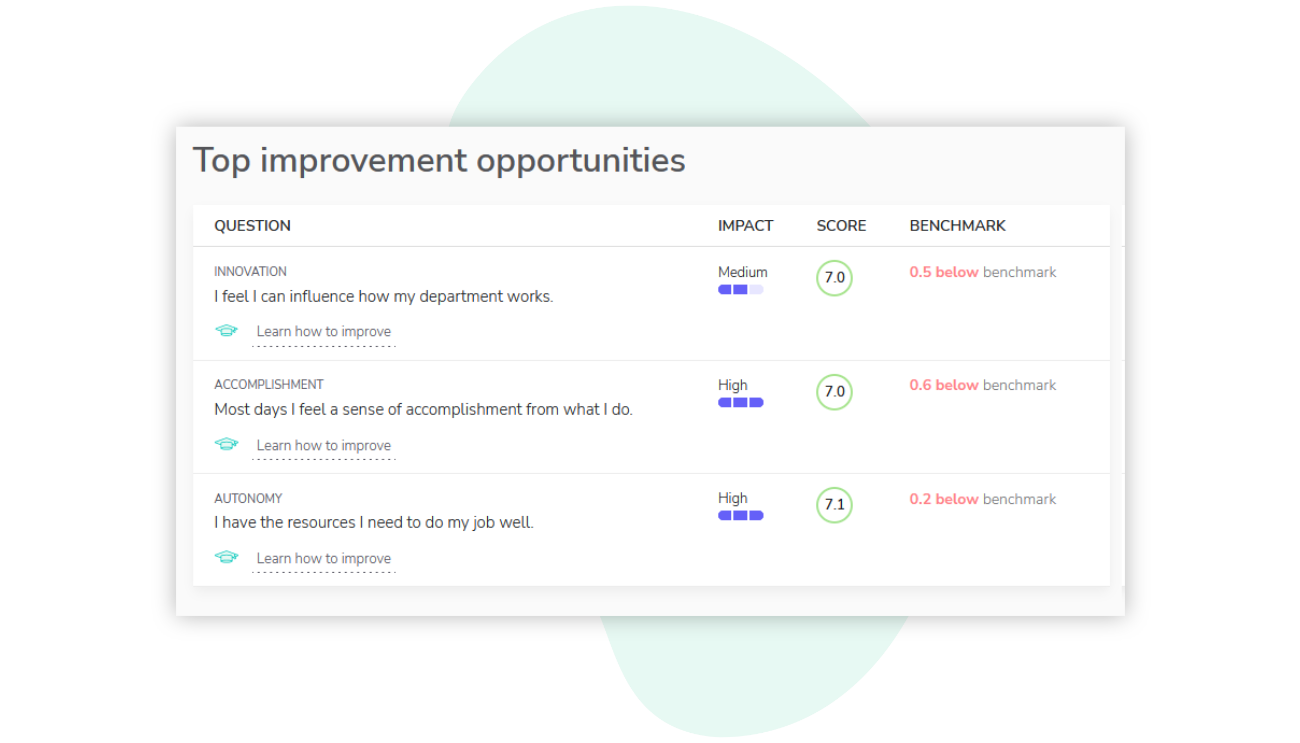
For a single team, “Top improvement opportunities” ranks up to three questions where that team could improve most, with their impact, score and the benchmark across Sparkbay customers.

Turn advice into a plan
“Learn how to improve” opens advice you can act on. You then write the actions in the Action plans tab, each with a due date.
To make recognition a habit, a plan could hold two actions: name one colleague's contribution at every team meeting, and ask everyone to send one recognition card in Sparkbay before the month ends.

Follow progress in your next pulse surveys
Mark actions done as they are finished. A plan with nothing left open reads as completed.
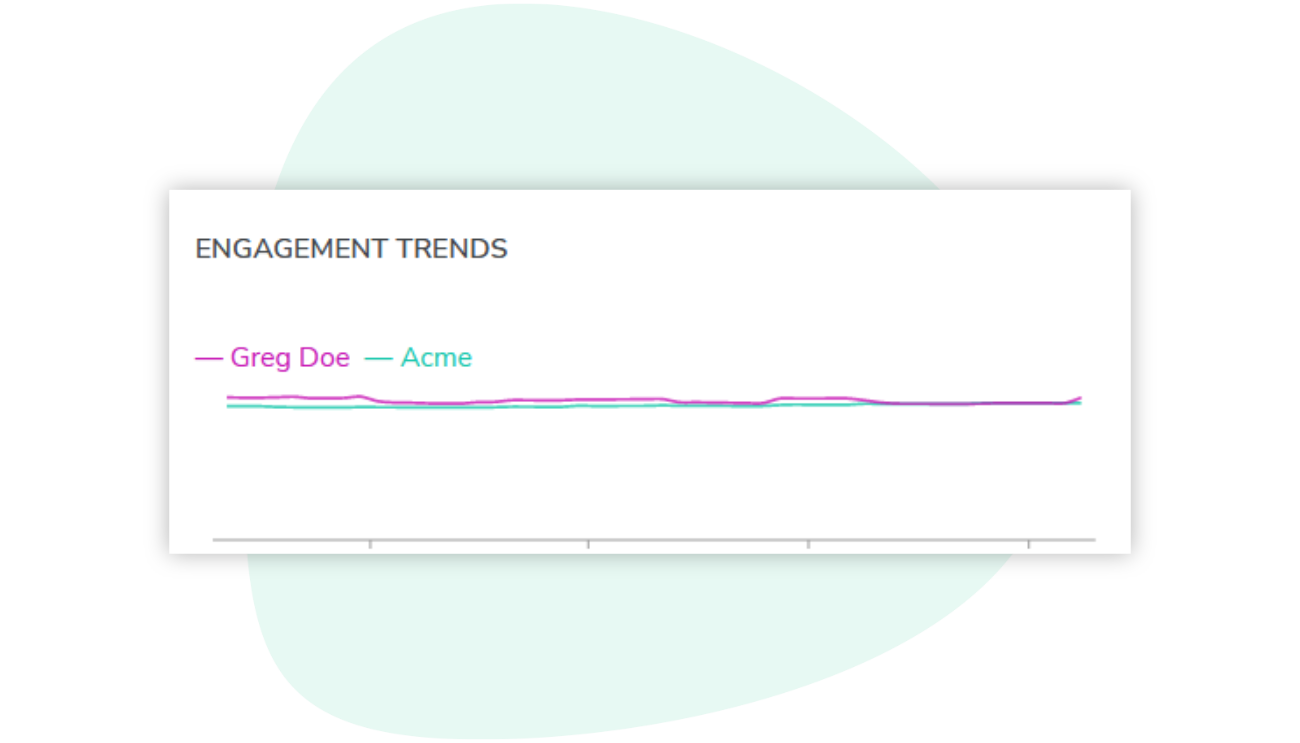
Answers from each new survey reach your results 15 to 30 minutes after they are given, and the engagement trend sets the team beside your whole organization. See how our pulse surveys work
Made for managers and HR
One team, several or everyone
A plan can cover one team or several. Any manager of those teams can update it, and HR can comment on it too. Leaders with organization-wide access can write one plan for everyone.
Ideas from the team itself
Not sure which action to pick? Ask the team in a focus group: people suggest ideas without their names attached, vote on them, and the ranking shows what they would try first.
Every plan in one place
The Action plans tab gathers every plan you have access to, with filters for “My action plans”, team, driver, status and creation date. HR can see what each team is working on without chasing updates.
With Sparkbay’s live dashboards, what used to take me two full weeks now takes me less than a day. Now, the management team has access to the key indicators much more quickly.



Frequently asked questions
What is an employee engagement action plan?
A short written plan that turns survey results into change: what a team wants to improve, the actions it will take and when each one is due. In Sparkbay, managers can build it in the Action plans tab, starting from their own team's results.
How does Sparkbay help us choose what to improve?
A team's results include “Top improvement opportunities”: up to three questions where the team has the most room to grow, with their impact, score and benchmark. “Learn how to improve” opens practical advice for these questions, and your administrators can adapt it to your organization.
Who can create an action plan?
Managers can create plans for the teams they manage, for one team or several at once. Leaders and HR with organization-wide access can also create a plan for everyone in the organization.
How do we follow progress?
Mark each action as done when it is finished; a plan reads as completed once all its actions are done. Then follow the team's scores in your next pulse surveys, starting with the driver the plan targets, if it has one.
Are survey answers anonymous for managers?
Yes. Results appear only for groups that meet your anonymity minimum, 5 respondents by default, and your organization can set its own. A manager you give access to sees their team's combined results, never who gave which answer.