You’ve ticked off all the items on your new hire checklist.
At least, you think you have.
It’s now been a few weeks since your new hire’s started, but they’re still not sure what to work on first.
What you’ve come to realize is that most new hire checklists are geared towards the expectations of HR, IT, facilities, and even the manager. They’re designed to do a great job of eliminating logistical errors, but they lack the human element.
When a ticket closes, you don’t know whether the person sitting at a desk knows who to go to if they have a question.
Do they know who to speak to if they have a technical issue? What about a question about their work? Can they tell you what their manager will evaluate them on at their 90-day review?
Beneath, you’ll find a checklist for each stage - from offer acceptance to day 90 - as well as a spot to check in with your new hire.
While the tasks on the checklist help you pinpoint what may be missing, the questions help you identify if something you thought was in place isn’t really working.
For instance, perhaps the expectations weren’t clear, the assigned buddy never had time to check in, or the resource person wasn’t as helpful as they could have been.
How to incorporate listening checkpoints into your onboarding process
- Remember that a new hire checklist is a collaborative exercise
- What if you’ve ticked every box, but no one feels welcomed?
- Assess your new hires based on time to breakeven, not number of tasks completed
- What does a preboarding checklist look like?
- Generate a new hire document checklist
- Make the first day less about meet-and-greets and more about getting started
- End of week one: test whether help actually works
- Day 30: check alignment blind
- Day 90: check in on early wins
- How do I present results to team members while remaining anonymous?
- How Sparkbay can help you find onboarding gaps across teams
- How to write onboarding checklist in 5 easy steps?
- Quick answers to common onboarding questions
Remember that a new hire checklist is a collaborative exercise
A new hire checklist in a massive organization is an exercise in collaboration between HR, IT, facilities, and the hiring manager.
What do we mean? Well, it rarely breaks down at the task level. Everyone knows they’re supposed to "set up system access" or "order laptop" or "bring a badge" for the new hire.
But often these tasks require a number of approvals that can cause delays. For instance, IT may need the hiring manager to confirm the role profile so they can create the right access groups. But the hiring manager is waiting on cost-center or headcount approval.
As a result, the task "set up system access" sits in a queue, waiting to be completed, but no one is technically responsible for its completion.
To avoid this, explicitly map out all the approvals needed for each task on your new hire checklist, and assign an owner and a deadline relative to start date (e.g. T-10, T-3).
You also want to consider how you’re going to manage the different elements of your onboarding process. There’s a new hire checklist, which is largely about the logistics.
There’s also an onboarding plan which helps employees understand what they should learn and what they should deliver and by when.
And there’s a listening layer that helps you understand whether your new hire checklist and onboarding plan have been effective.
You can see why this is important. Most onboarding programs focus on completing their new hire checklist and executing their onboarding plan. They take their completion rates as a sign that everything happened.
What if you’ve ticked every box, but no one feels welcomed?
What if your calendar says, "Introduction scheduled," but the colleague you paired with your new hire had a jam-packed day and could only spare a few minutes before running out the door?
What if your system says your new hire met with their buddy, but the only thing they managed to do was grab a quick coffee before the buddy rushed off to finish something on a deadline?
What if your tracker says, "All good," because the manager checked in on the new hire last week, but that one-on-one was canceled for the third week in a row due to a scheduling conflict?
Even when all the boxes are ticked, Gallup research shows that only a small minority of employees strongly agree that their organization handles onboarding very well.
So what are you missing on your onboarding tracker?
- Does your new hire feel comfortable asking "naive questions" or do they stay silent because they don’t want to look slow?
- Do they have a clear understanding of what "good work" means in this role that would align with their manager’s expectations?
- Have they created something that someone else actually uses?
- Would they tell a friend that this onboarding experience was worth going through?
The only way to answer these questions is to match your onboarding tasks with brief listening opportunities.
Put these moments on the calendar. If the first time you hear from a new hire is two weeks later because they happened to walk into your office with a problem, you’ve already labeled them as a complainer before they’ve even had a chance to build up trust with people.
Receiving a call from HR on a set date, with a few short questions about how things are going during onboarding, removes that risk. They know it’s a routine touchpoint and not an opportunity to air any grievances.
Assess your new hires based on time to breakeven, not number of tasks completed
In his book The First 90 Days, author Michael Watkins argues that people in a new role need to do three things fast: learn the environment, clarify expectations with their boss, and secure early wins that build credibility.
While Watkins’ work is mainly focused on leaders, his concept of a "breakeven point" can apply to employees in any role. This is the point at which they’ve contributed as much value as they’ve consumed while getting up to speed.
A staff member like a receptionist will reach this breakeven point much faster than someone like a department head. This gives you a role-relative way to measure success instead of applying a hard timeline.
When you apply this mindset to your onboarding process it helps you understand what you’re asking of your new hires at different checkpoints. At week one, you can assess whether a person has the clarity and support they need to start. At day 30, you can assess whether a new hire and their manager are aligned on priorities.
At day 90, you can assess what the new hire has contributed and what challenges slowed them down.
Research conducted by Talya Bauer and colleagues on the factors that lead to successful newcomer adjustment show us that gaining role clarity and being accepted by colleagues lead to stronger adjustment. This is something that’s not usually included on a checklist. And it’s not something that’s usually ensured by a working login.
Finally, don’t assume star employees don’t need onboarding. In his book Chasing Stars, author Boris Groysberg explains how a superstar performer’s success is partly based on the colleagues, systems, and organizational knowledge they have around them. This is why an employee’s superstar status often doesn’t transfer over to a new employer. Senior employees are often left to build relationships and gain contextual knowledge on their own because their impressive resume suggests they’ll be able to manage on their own.
What does a preboarding checklist look like?
Preboarding starts as soon as your new hire accepts your offer, but it’s important to remember that many day-one failures are caused by activities that should’ve taken place during the preboarding process.
As you work through the list of preboarding activities, consider who’s responsible for making sure this activity gets done. We’ve all heard of departments taking ownership of activities, but it’s more helpful to think about who specifically within that department is responsible.
- Sending the contract and indicating the signing deadline (not "when convenient") with a deadline tied to the start date
- Submitting equipment and access requests with ample time for the approval chain to sign off before anything is ordered or provisioned
- Identifying the new hire’s buddy and confirming with the buddy’s manager how much time this will take up from the employee’s day (to avoid the new hire feeling like they’re adding extra work to their buddy’s job)
- Sending a welcome email that indicates where the new hire should go and includes a named contact who will actually be available on the morning of the new hire’s day one
- Sharing a week-one agenda with lots of planned gaps
- Communicating to the team who the new hire is, what their responsibilities will be, and what they won’t be expected to handle yet (to avoid teams unloading work on them too soon)
Once your new hire accepts your offer, have someone from the team (it doesn’t have to be HR) send a short, informal email or message that says:
"What would you like to know before you start?"
This way, you can gauge who on your team should be answering what questions. If it’s something like, "Where do I park?" or "I can’t find a form I need," then your HR team can quickly take care of that. But if it’s a question about reporting lines or the scope of their role, it’s important to pass that to their manager instead of handling it from HR.
This is an important conversation for your team to have, and your team should view these inquiries as a potentially positive sign that they may need to adjust the advertised role to the real role before day one, instead of waiting to figure it out after the new hire has started.
The way your team responds to these questions also presents an opportunity to set expectations about whether it’s safe to ask questions at this organization. Most research about newcomer adjustment shows that the people who adjust well are the ones who ask for the information they need from their colleagues and actually get useful answers back.
If there’s a long gap between accepting the offer and the employee start date - think, more than a month - consider scheduling a check-in halfway through. This check-in should come from the manager, not the HR team, so the new hire gets communication from the person they’ll be working for.
Generate a new hire document checklist
To organize a successful onboarding process, you want to avoid starting off on day one trying to collect missing paperwork.
- Signed contract and any tax forms they need to complete
- Identity checks or right to work checks, if required (consider statutory deadlines for these checks in each location)
- Bank details and payroll information, benefits selection, and emergency contact details
- Acknowledgement of receipt of employee handbook, code of conduct, security rules, and confidentiality terms
Ask as many of these questions as possible through a secure digital process before your employee’s start date.
And be sure to communicate why you’re asking for these documents and who they’ll be shared with. Your new hires will pay attention to whether their bank details are shot over a regular email thread and use that data to evaluate how you handle their data.
If you’re a multinational, understand that your "standard" document list may be based on the laws of your home country. Consider having your local HR team or legal team create their own document list for their country, using your global document checklist as a starting point.
Make the first day less about meet-and-greets and more about getting started
Don’t assume that everything will work just because IT says they’ve closed a ticket. Before your new hire arrives, have someone check that the core systems open with the new hire’s actual role permissions.
If something isn’t working on that first day, make sure there’s a specific person turned to, so the issue is resolved end to end.
Otherwise, your new hire will bounce back and forth between IT and their manager with the expectation that the other team will sort it out.
Ask your new hire’s manager to host the first meeting with them. This meeting should outline what their role will be, what their first real task is, and who they should turn to if they have questions.
Introduce them to the people they’ll need to work with to complete that first task.
This is not the time for a thousand random introductions. Your manager may not remember those people when they meet them again a month later.
Remind your new hire’s buddy to reach out to them on their first day, rather than waiting for "sometime this week".
Try to protect some empty space in their calendar. It may seem like a good idea to block off their entire day for presentations, but this only guarantees that the rest of the week will be spent trying to remember who everyone is and what they do.
If your new hire is remote, send them their equipment several working days in advance (or longer if it involves crossing a border) and schedule a call to log in for the first time before day one. MFA enrollment and VPN setup are common bottlenecks for remote starts, and they’re frustrating to troubleshoot alone.
On that first day, walk them through the main tools they’ll use during a video call and book a coffee with their buddy yourself.
Don’t leave it up to chance that someone will message them and introduce themselves. On a remote team that’s usually not going to happen.
At the end of your first day, ask your new hire:
"What’s still unclear after today?"
Try to avoid getting the predictable response of, "Nothing". This is the default response to anything on day one.
The problem is that, during that first day, they don’t know enough to know what they don’t know.
End of week one: test whether help actually works
By the end of week one, the new hire should have working access to everything they need, a first "real" task underway, and at least two people they can turn to with questions. Your "buddy" should have met with them more than once by this point.
Ask your new hire:
"If you got stuck this week, did you know who to go to and were they helpful?"
This is to test whether the "help" they received was actually helpful. If they can’t name anyone, connect them to a specific person within two working days. If they were blocked by an IT issue, escalate it and attach a date by which it needs to be resolved.
Be careful about interpreting feedback from week one as a judgement on the success of the buddy. Before concluding the buddy failed, check whether the new hire actually needed someone with skills beyond what the buddy possesses. You should also check whether the buddy was ever given time to fulfill this role in the first place.
Most "buddy problems" fall into one of these categories.
It’s important to address this now. By day 30, the new hire may have created a workaround and you’ll no longer notice the problem.
Day 30: check alignment blind
You’re now at day 30 with your new employee. It’s time for a structured one-on-one.
During this one-on-one, you want to understand what your new hire has learned over the past month and what kind of work they’ve been starting. You’re also checking in to see if any priorities have shifted since this role was approved.
In most teams, priorities have shifted. So use this opportunity to agree on what your new hire will need to deliver by day 90. Make sure it’s specific enough that you can measure it later.
Ask your new hire:
"What do you think you’ll be measured on by day 90?"
Ask your manager this separately, before they see the employees answer.
If there’s a mismatch in what your manager and your employee think they will be measured on, you’ve identified a potential problem. And if this problem is identified at day 30, you can have a conversation about expectations.
It’s better to identify potential problems early rather than wait until day 90 and have performance concerns that are based on misunderstandings.
What you do next depends on the kind of mismatch you see. If your employee lists many more goals than the manager listed, they may be taking everything they’re asked to do as a priority. In this case, they need permission to push back.
On the other hand, if your employee lists fewer goals than the manager lists, the manager may have assumed that some expectations were too obvious to articulate and in reality, they haven’t been articulated.
During this check-in, you should also confirm whether your one-on-one meetings happened as promised. Remember that according to research from Gallup, managers account for at least 70% of employee engagement differences between teams. If these one-on-one meetings did not happen in a discreet way within the first month, this is cause for concern and more important than any HR task on your list.
Day 90: check in on early wins
At the 90-day point, revisit the goals set at the 30-day mark. What deliverables did they accomplish? Where did they need more help than you anticipated?
Did they step in and take on something the team needed that wasn’t in the original plan? This is often a helpful early win indicator.
Acknowledge the onboarding employee’s contribution in a way that suits them and the team. For many people, a shout out during a team meeting is sufficient, but if you’re unsure, ask. It’s important to ensure the recognition doesn’t just happen because it’s on your checklist.
Ask questions like:
"What’s one thing that would have helped you contribute sooner?"
This leads to responses around access to certain systems, understanding decision rights, training delivered on the spot, and more. These are all issues that trace back to earlier steps in the onboarding process. For instance, training delivered too late is likely a preboarding scheduling issue.
Add all of these specific issues to your onboarding list and assign them an owner.
Use the 90-day period to formally close the onboarding process and transition into a regular manager check-in rhythm. If the role is complex, you may want to continue to work on the learning plan. Keep in mind that it may take a few months to get to breakeven and that’s normal.
How do I present results to team members while remaining anonymous?
Analyzing results one cohort at a time makes it difficult to identify issues or trends in your onboarding process. You need to be able to review results across different cohort groups.
It’s important to keep these channels of communication separate. Your day-one and day-30 questions are one-on-one conversations between managers and new hires. The aggregated data from cohort responses is a separate channel and must be presented in a way that upholds anonymity to ensure respondents feel comfortable providing honest answers.
When creating cohort groups based on quarter of start date, department, location, or remote versus on-site, be mindful of the potential for re-identification. Re-identification is especially key when presenting results at the manager level. This is the most helpful analysis for managers, but also the highest risk for re-identification, since most managers only onboard a small number of people each year.
You may want to implement a minimum number of responses before presenting results or comments to ensure anonymity. Comments can often re-identify team members even if review results can’t. A minimum number of around 5 is a reasonable starting point.
For very small teams, you may need to combine multiple quarters or related groups to ensure there are enough responses to safely present results.
Once you’ve ensured anonymity, you can start identifying trends across your three listening points. For example, if you notice that remote employees report feeling less supported during their first week, you can look into how remote employees are handed over to their buddies. If multiple employees under a particular manager report they aren’t clear on their role after 30 days, this may be an opportunity for a coaching conversation.
If multiple employees across departments report receiving resources too late at the 90 day mark, this may be indicative of a shared onboarding process issue rather than a problem with a specific team.
Avoid drawing conclusions from a single cohort’s poor results. Different cohorts vary in size and small cohorts may show more variability in results. Wait to confirm a trend until you see sufficient responses supporting the trend, then discuss the trend with the owner of that onboarding step.
Finally, consider incorporating other groups into your onboarding process that you normally would not. For example, internal transfers won’t have the same administrative onboarding process. But they will have a new manager, a new team, and new goals that they can discuss during these individual listening points.
The same applies to rehires or employees joining the company through an acquisition. Keep in mind that their familiarity with certain parts of the organization may impact how they respond to questions.
How Sparkbay can help you find onboarding gaps across teams
With Sparkbay, you can automatically run onboarding check-ins at a regular cadence, so managers don’t have to remember to conduct these check-ins.
You can use a short survey like the one below or customize the wording based on your different onboarding stages and the responses you’d like to gather.
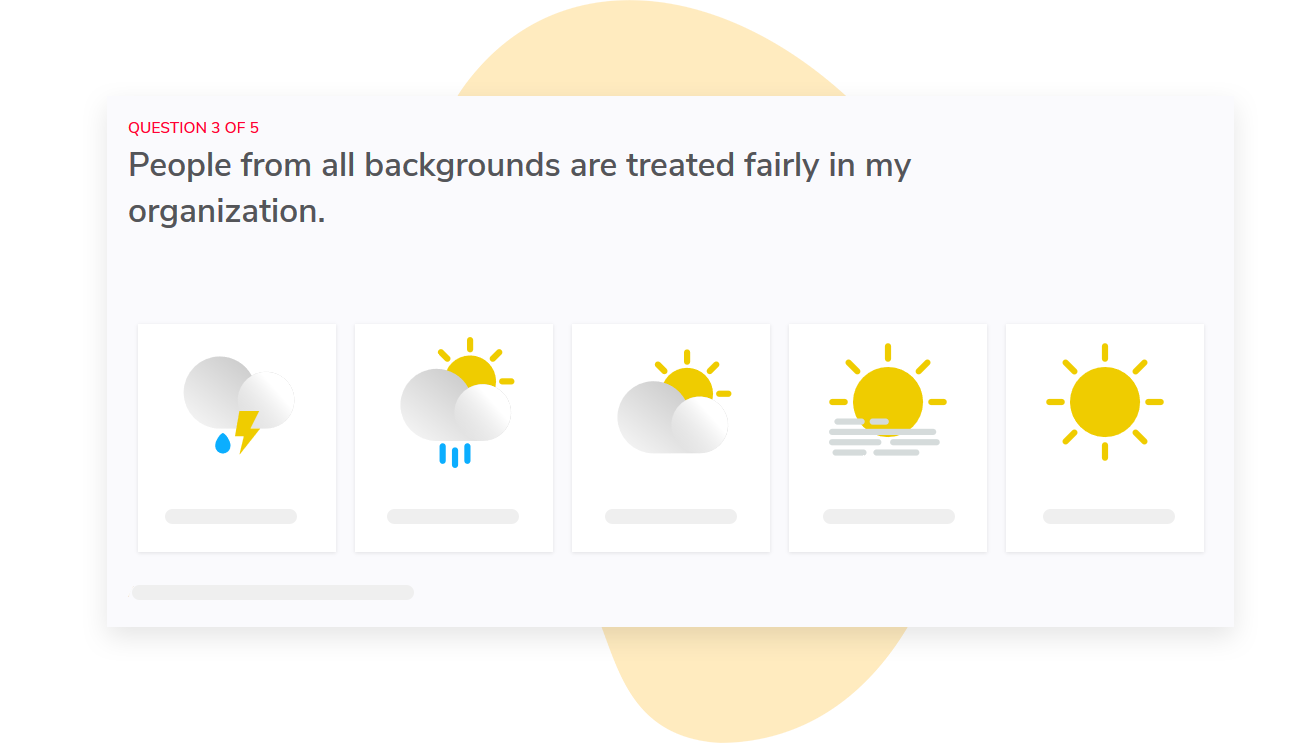
In a large organization, it’s hard to tell whether a poor week one experience is due to one hiring group or an issue across the entire organization.
Sparkbay’s reporting features let you compare groups of employees (e.g., departments, managers). Based on your organizational hierarchy, we automatically map report access, so each manager only has access to reports for their teams.
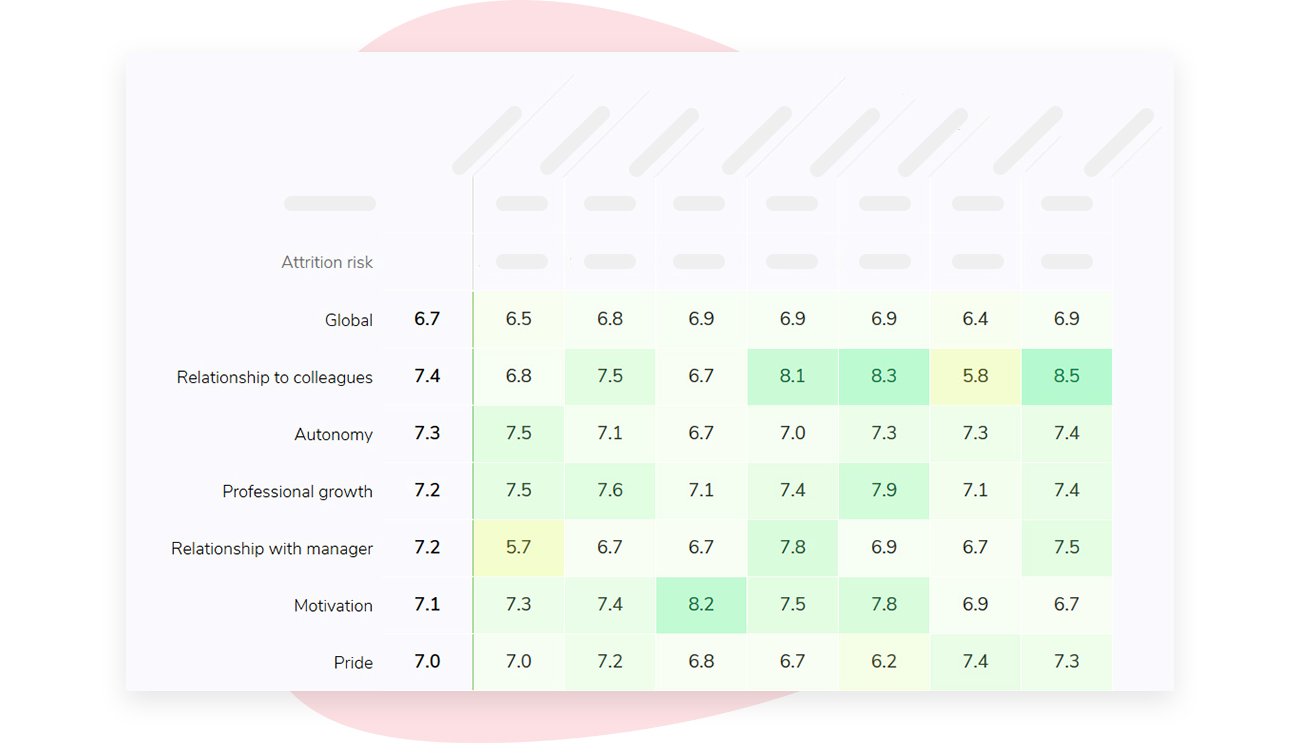
To protect anonymity, we hide survey results if there aren’t enough responses. You can customize this number, but it’s set to 5 by default. This means a small intake might take longer to show up in a group report.
This is also why it’s important to have more than one feedback channel for urgent concerns - there should still be a direct line to a named person!
If you’re interested in learning how Sparkbay can help you build a more engaged workforce, you can click here for a demo.
How to write onboarding checklist in 5 easy steps?
Write your onboarding checklist within different stages (e.g. preboarding, day one, week one, day 30, day 90).
Within each stage, identify what needs to happen and who it’s assigned to.
Then, select one question that will help you understand if things went well.
- Establish what the new hire should be able to do at the end of each stage. Focus on results instead of tasks
- Assign each task to a specific person and set a deadline based on the start date (e.g. task to be completed by the end of week one)
- Decide which steps will be uniform across the entire organization and which steps role and location owners can modify
- Choose one listening question per stage and resist adding more until you’ve responded to what the first question has told you
- On a quarterly basis, review responses by cohort and revisit steps that are causing issues
For instance, a senior-level hire may need time with peer decision-makers during the preboarding stage or the first few weeks since their quick wins will depend on influence they haven’t built up yet.
A remote hire may need introduction to the team earlier, since no one will run into them in the hallway and it’s easy for busy teams to overlook them.
If you make changes to your onboarding checklist, communicate changes to managers and the reason for the change.
Otherwise, they’ll likely continue using a saved template or an old team wiki page that you updated, and your changes won’t make it to new hires.
When you’re reviewing your onboarding checklist, only remove a step if your listening data proves it’s not making an impact. For example, if cohorts that didn’t have a specific step report the same level of support and clarity as cohorts that did, then you can consider removing it. This isn’t a step you should remove just because a manager finds it boring or because new hires don’t mention it on their responses.
Often, steps that "fly under the radar" - like ensuring payroll is paid on time - are steps that do their job.
Quick answers to common onboarding questions
How long should an onboarding process last? A typical onboarding process lasts about 90 days, and 90 days is a reasonable minimum length for a new onboarding process.
That said, the end of your onboarding process is less important than whether a person has reached their breakeven point. For particularly complex or senior roles, the learning and development plan may extend significantly beyond the formal onboarding program, sometimes up to a year. And if day 90 also marks the end of probation period in your organization, you may wish to keep your day-90-listening-question separate from your probation review.
Employees may not feel comfortable sharing what worked and what didn’t when their contract extension is being assessed in the same meeting.
Is employee orientation the same thing as employee onboarding?
No.
But the key difference between orientation and employee onboarding is that employee orientation is an event. It’s something that’s easy for your organization to own and measure and therefore attract budget and attention towards.
Employee onboarding is something that happens over the following weeks. And because it happens largely through interactions with a manager, it’s something that rarely gets measured.
Who owns what during the onboarding process?
HR owns the onboarding process and the shared onboarding checklist.
The hiring manager owns the goals, the feedback process, and ultimately getting the new hire up to speed.
Why does it matter who owns what?
Because if it isn’t made explicitly clear that the hiring manager plays a key role in the onboarding process, it’s easy for a manager to assume onboarding is HR’s job. Important elements related to achieving breakeven may then be overlooked.
Do I need to create a separate onboarding checklist for remote workers?
In most cases, no. You’ll probably need to use the same onboarding checklist, but adjust the timing of specific onboarding activities. For example, you’ll need to make sure you send equipment and give remote workers access to systems before day one.
You’ll need to schedule specific times for face-to-face introductions rather than assuming an in-person interaction will happen.
And you’ll need to determine a way for your remote employee to quickly get the help they need, when there’s no one physically available at the next desk.
What about internal transfers? Do I need a separate onboarding process for internal transfers?
Nope. You can use the same onboarding process and listening questions. Although there’s less paperwork involved, a new manager and new goals present the same potential issues around clarity that a new hire would face.
Plus, internal transfers are the most overlooked group when it comes to onboarding listening efforts, so they deserve some attention!
What should I include in my onboarding survey questions?
Using the three questions above, you can ask your employees to respond to the following questions:
- Did this help during week one? (sent during week one)
- Are your expectations clear for your job? (sent during 30 days)
- What would have helped you start contributing to the team sooner? (sent during 90 days)
If you’re interested in learning how Sparkbay can help you build a more engaged workforce, you can click here for a demo.