The demo goes well. Your HR team likes the sound of the survey builder. Finance likes the quote for the first year.
And the vendor’s sample dashboard makes it look like a breeze to identify areas for improvement using a heatmap.
Fast forward six months and you notice your metrics aren’t what you expected. Manager logins have decreased significantly since the release of the first survey results. Employees have completed two surveys, but they don’t talk about any changes they’ve noticed.
And when it’s time to send out the third survey, participation levels drop, with comments like, "What’s the point?"
This is a problem, since you know that engagement surveys are not cheap.
Each survey that produces no visible changes makes it harder to convince people to participate in the next. An employee engagement software that’s great at collecting employee feedback, but doesn’t help managers take meaningful actions leaves you with less credibility than before you purchased the software.
So how can you make a proper, informed comparison of different employee engagement software options?
You’re probably aware that most "top 10 employee engagement platforms" lists simply compare feature pages. This doesn’t help you figure out what will really happen in month seven.
In this guide we look at how to properly compare employee engagement software.
A weighted scorecard and RFP question checklist for comparing employee engagement survey platforms side by side
- 1. identify your goals before comparing vendors
- 2. separate the features you need from the ones you like
- 3. compare platforms using a weighted scorecard
- 4. make sure the employee survey tool is private and secure
- 5. provide vendors with the same rfp questions
- 6. keep an ear out for quiet "but my product can do that..." comments during the demo
- How Sparkbay can help you compare feedback and follow-through
- 7. work out the full cost, not just the license fee
- 8. run a pilot before you commit
1. identify your goals before comparing vendors
It’s easy to get swept away by a vendor’s sales pitch and wind up purchasing a product that only partially meets your needs.
Before you start comparing vendors, identify the problem you’re trying to solve and the features and functions that are must-haves.
If you’re concerned about attrition in one specific group of employees, you’ll need a platform that easily allows you to break down data by length of service, site teams, or levels of management while keeping employees’ answers anonymous.
If you want to empower managers to be more responsive to what their employees are telling them, you’ll need a platform that allows managers to easily reply to feedback within a set period (e.g. two weeks after receiving the results).
If employees’ privacy was a concern during your last survey, you’ll want to first find out what a manager can and cannot do in terms of identifying employees using filter options before looking at any other feature.
You’ll probably hear this one: According to Gallup’s research, only a minority of employees worldwide are engaged at work. This statistic often ends up on the first slide of a vendor’s deck.
While it demonstrates that there’s a common problem, it doesn’t highlight where your company’s engagement gap lies or tell you what feature will help you address that.
Another thing to consider is the compliance and regulation side of your company’s engagement vendor.
How early can you involve the right people from your IT, Legal, Finance, and Information Security teams?
In many EU countries, the works council or employee representatives must be involved early. In Germany, for instance, if the works council decides that an employee survey counts as an "employee behaviour or performance analysis" tool, it can stall the rollout for months, regardless of what the organization had planned. So including employee representatives in your thinking is important when determining your needs from a vendor.
Finally, what if many of your workers aren’t desk workers?
How will you write your survey questions and how will employees complete the survey?
For instance, if you plan to gather survey answers via QR code, kiosk, or SMS, how will you link each survey answer to the correct site team while keeping employees anonymous?
You’ll typically have two options:
- Sending out individual links generated from the data in your HR system
- Providing employees with a code for their site
The first option allows you to link answers to the correct team, but it requires the company to keep sensitive employee information like phone numbers or personal email addresses.
The second option eliminates the need for storing personal data, but since everyone uses the same code, results can only be displayed at the site level. This isn’t very useful if your engagement problem lies with one specific shift supervisor.
You should also identify 2 or 3 concrete results you want to see by the end of your first full survey cycle.
In addition to wanting high participation rates, you’ll also want to track more specific results such as "how many managers held discussions within X weeks", "how many teams have agreed to an action plan" or "how much the score has gone up on ‘I see action taken on survey results’".
Make sure you set your own measures of success before vendors pitch to you, so you don’t end up taking on theirs.
2. separate the features you need from the ones you like
After sitting through a demo, it’s easy to think that all employee platforms are the same.
Differences tend to arise in the pre-survey features (i.e. How do employees receive the survey?), the post-survey features (i.e. Who can view which parts of the results?) and the post-post-survey features (i.e. What can I do in the weeks once the results have been shared?).
Surveys and feedback
Think about what a standard pulse survey would look like and what a longer census survey would look like.
Ask the platform how they deal with trend lines if you change or drop a survey question. If their platform automatically links the old question to the new question, they run the risk of producing false trend results. On the other hand, if their platform automatically keeps the questions separate, they may penalize you for improving a poor survey question.
Find a platform that allows you to make that decision, and also allows you to make notes of these changes on the dashboard.
Ask the platform who is responsible for translations and whether a translated text that has been edited counts as a new translation. You don’t want minor changes to a translated text to cause what appears to be a huge swing in survey results for that country.
If you know that your executive team cares about eNPS, add it to your list as well. Just keep in mind that eNPS is super-sensitive and can be easily skewed with feedback from just a few employees, especially if your teams aren’t very big. Use eNPS as a helpful, supplementary signal, not your main scalpel.
Only add features like recognition, 1:1 tools, and goal tools to your list if you’ve already identified a problem that these tools can solve. You don’t want to add them just to tick a box, only to later realise these are features you need in a separate product.
Analytics and action tools
What does your employee engagement platform offer in terms of analytics?
For each benchmark in a benchmark report, ask the vendor: "How many organisations are in this benchmark? How up to date is the data? What industry and company size is this benchmark for?
How similar is the wording of this benchmark item to the wording of my survey item?" You want to find out how comparable these benchmark reports are. If the vendor is comparing your survey question to a completely different one, you’re going to be comparing apples to oranges.
If the marketplace provider offers sentiment analysis of comments, have them demonstrate how this works with your languages and translations. Ask how their sentiment analysis module deals with sarcasm. For example, their algorithm shouldn’t tag a comment like "Great, another reorg" as positive sentiment.
If the platform offers attrition prediction components, find out whether these components predict attrition for teams or individual employees. Providing flight risk scores for individual employees raises privacy and employee relations concerns. Offering flight risk for teams only is less problematic.
An individual flight risk prediction makes it hard for anyone in your organisation to not treat that person differently. It also nudges managers to treat their employees differently. Make sure any flight risk prediction complies with data protection rules and employee relations requirements.
Next, ask the vendor to walk you through the "action tools" using a realistic scenario.
For instance, if a manager receives a bad engagement survey result for her team, will the action tools help her determine what to do next? Or are these general tools that take forever to work through? A manager cannot spend hours on these types of tools.
They need to be usable in between meetings. Is this the case with this tool?
Similarly, can an HR representative take action or check in on whether actions have been taken without these features feeling like "manager surveillance"?
During the conversation, ask the vendor how many managers at a typical client simply go with the first action their system suggests. If they can answer this, it means they are keeping track of how their product is used in practice. If their answer is just based on demos, then they aren’t.
Why is it so important to see how managers use "action tools"?
Research from Gallup shows that managers account for most of the variance in engagement levels between teams.
Prioritise with MoSCoW
Once you have a list of features, use the MoSCoW method to sort them. Keep in mind that each of your "must have" features should directly link to the problem you outlined in step one.
This will make it harder for someone to come in and say "We must have this feature" without linking it to an outcome from your problem outlining exercise. This will likely cut your list in half.
You can also keep all of your "won’t have" features in a folder, so that if someone comes back to their requirements list in week six and says, "Didn’t we decide on that feature?", you can politely say, "Let’s take a look at that folder..." rather than feeling pushed to add that feature to your employee engagement platform.
3. compare platforms using a weighted scorecard
While your weighted scorecard may not choose a platform for you, it will help you commit to a decision later down the line.
Set your weights before the first demo and stick to them.
It’s tempting for people to change weights after they’ve seen the products - oftentimes without realizing it - to favor the vendor they like best. Multiply each vendor’s score (from 1 to 5) by the weight, and then add them up to get a total out of 5.
Below are weights you can use as a starting point, as well as an example of how you might score 3 fictional vendors.
| Category | Weight | Vendor A | Vendor B | Vendor C |
|---|---|---|---|---|
| Surveys and feedback | 20% | 4 | 4 | 3 |
| Analytics and reporting | 15% | 4 | 3 | 5 |
| Manager tools and action planning | 15% | 2 | 5 | 3 |
| Employee and manager experience | 10% | 5 | 4 | 3 |
| Integrations | 10% | 4 | 3 | 5 |
| Security and privacy | 10% | 4 | 5 | 4 |
| Rollout and support | 10% | 4 | 4 | 3 |
| Total cost | 10% | 3 | 3 | 5 |
| Weighted total out of 5 | 100% | 3.70 | 3.90 | 3.80 |
Since Vendor B is only ahead by 0.1 (which is within the normal variance of different evaluators) this scorecard is not a definite decision maker.
Before the evaluation team selects a winner, perform a sensitivity analysis. What happens if you shift 5 points of weighting from "manager tools" to "analytics"? Do the calculations again.
Candidate C now wins with a score of 3.90, while Vendors A and B are tied at 3.80.
If your winner changes this quickly, it’s clear that your weighted score card isn’t actually helping you make a decision. It comes down to what your main goal is, and this should be stated clearly.
In this case, understanding each vendor’s strengths is key. Vendor B does well in the manager tools category while Vendor C does well in the analytics and cost category. Wanting to prioritize action planning for managers would mean Vendor B is the better choice.
On the other hand, if the organization’s pain point is understanding the root causes of attrition within their complex org structure, then Vendor C is the better choice.
This goal should also inform how you set your weights in the first place. If your first cycle of employee engagement is ineffective because managers don’t take action, increase "manager tools" to 25% and decrease analytics. If you’re switching from a platform that compromised employee anonymity in small teams, increase security and privacy instead.
If you have real non-negotiables, make them pass/fail checks rather than weighted scores
If you have a real non-negotiable - such as minimum requirements for privacy or data residency - you can rule out a vendor that doesn’t meet those standards, no matter how high their total score is. Otherwise, you might overlook a vendor that’s scored a 2 on privacy in light of their high overall score.
Ask evaluators to score vendors independently, then discuss as a group. Start discussions by addressing the biggest discrepancies.
If IT scores "integration" as a 2 because they thought the vendor promised a plug and play connection while HR scored it a 5 because they assumed they would be getting a connector for a different reason than they were told on a slide, resolve this by talking to the vendor and asking for documentation on the connector.
Give vendors the same set of tasks to complete. If they’re willing, have them upload a sample using your org’s structure.
For example, you might want to know how long it takes for an employee who doesn’t have an assigned work email to fill out a survey on their phone. Or how long it takes for a manager three levels down to find their team’s results and select an action to take. Or how long it takes for an HR admin to pull a report of teams that haven’t taken action since their results were released.
In Diffusion of Innovations, Everett Rogers explains that peoples’ decision to adopt a new tool depends largely on whether it suits the way they currently work and whether they can trial it before committing.
4. make sure the employee survey tool is private and secure
Employees assess how open they feel about sharing information based on what they think their managers can see.
So when a vendor says, "Your responses are confidential," ask for the specific rules about confidentiality.
Find out what the minimum group size is before results will be made available, whether comments have a different threshold, who has the ability to change those thresholds, and whether changes are logged.
Conduct your own differencing and stacked filters tests
Ask your vendor for differencing tests, but conduct your own as well.
Log in as a manager with access to a specific department or team. For instance, if you have access to a department of 12 and within that department you have access to a sub-team of 8, this allows you to see the responses of the 4 remaining team members, a group that should be below any reasonable threshold. If the vendor claims to have a threshold of 5 but allows you to see this information, their threshold policy is only on paper.
Ask your vendors to conduct a number of tests, including stacked filters tests. This means filtering by location, then tenure, then gender. If the combined filters lead to less than the minimum number of respondents, does the platform suppress the results?
Or does it only suppress based on each individual criteria?
Observe what a manager sees when they change filter options, not just what they see on the first screen. And check the filters in exports as well. Export rules are often more lax than dashboard rules.
Research on survey responses shows that people are more inclined to respond freely when they trust their organisation’s identity protection measures.
An email from HR reminding employees of security measures won’t have the same impact as a thoughtful privacy survey design.
Review security, data privacy and exit clauses
Ask your internal security and legal teams to review survey details, so they can assess what’s applicable for your business.
Ask your vendors what they currently have in place in terms of certifications (e.g., ISO 27001, SOC 2 Type II report) and review the actual certificate or report. You should also discuss the data processing agreement, sub-processor list, and details on how they are meeting GDPR or CCPA requirements, if applicable.
If the platform uses AI on your comments, ask whether your data will be used to train AI models and where that processing will take place.
Even with a certificate, your company should conduct a review of how it intends to use the data.
Ask questions about where data is stored, who owns the data (e.g., survey responses), how long data is stored, and what data you will receive in exports when you exit from the platform.
Ensure that the data you export includes data history linked to your organisation’s structure, not just raw responses. Raw responses with no link to organisation structure or where data was reported cannot be used to generate a single trend line in your next platform.
5. provide vendors with the same rfp questions
During the RFP process, you want to allow vendors some flexibility to showcase their product’s capabilities.
However, it’s important that vendors answer the same questions so that your team can easily compare responses.
Below are sample questions you can include in your RFP:
- Company and viability: How long have you been serving companies our size and complexity? What is your gross revenue retention, not just logo retention? Which of the features listed in your responses are generally available for customers today? Which features are on the product roadmap and by when can customers expect these features?
- Surveys and access: Which features of a survey can we change (e.g., wording of questions, timing of distribution, labels for dashboards)? How do you handle trend data when a survey item has been reworded? Which languages can we distribute our surveys in and which languages can our dashboards be in? Can you show us the process for an employee who doesn’t have a work email to take part in the survey and how their answer gets assigned to the right team?
- Org structure and results: How do you sync our org structure to your platform and what happens to past results if we have a reorganizational change in the middle of a cycle? How do you ensure that changes like differencing or stacked filters do not compromise anonymity when there are small groups of employees? Where does your benchmark data come from? How many organizations are represented in this benchmark data? How recent is the data? If you offer AI features (e.g., AI summary, attrition warning signals), what data do they use to generate these insights? Can these features work at a team level and individual level? How can teams check the validity of AI-generated insights?
- Manager follow-through: Can we see what the first 1:1 session looks like for managers using your platform after results have been received? Please use a sample team that resembles ours in your demonstration. What sort of action can a manager take from a result? Can our HR team also easily view whether managers shared results and initiated actions, without compromising the anonymity of individual responses?
- Rollout: What will our HR, IT, and communications teams need to do? Please share a real rollout plan from a client of a similar size as ours. We want to see decision points, training, and who is responsible for creating and maintaining the org structure.
- Support: What are your support hours? How quickly can we expect a response? Will we have a named contact? If we need assistance with survey design and interpreting survey results, is that support included or billed separately?
- Commercial terms: Is the pricing based on total headcount, active users, or number of surveyed employees? Please provide a list of all fees including set up fees, fees for different modules, and any per employee charges. Can you limit the amount that renewal pricing will increase in the contract? How can we export our data, including historical results connected to the org structure, and confirm data deletion if we move to another provider?
- References: Can we speak to customers with a similar size and workforce mix, including a company with a large deskless employee population? Please provide us with a few references. For each, we’d like to know what took longer than expected and how many managers are still logging in after the second iteration of the survey. If you can facilitate an intro with a customer that decided to change providers, we’d like to take that call, too.
Don’t accept vague answers like, "We support that" when you present a must-have feature.
Insist on vendors demonstrating how they "support that" by showing you a scenario with a company that looks like yours, with the number of layers you have, the languages you operate in, and any awkward cases you have in org management (e.g., a manager that has two teams, a matrix reporting system, a site that belongs to a specific division but reports to another division).
For instance, a vendor may claim they support multiple languages in the employee survey. But if they only offer one language in the manager dashboard, that’s a big problem for a multinational organization. If your managers are stationed in several countries, they’ll have to rely on a translation tool to read insights, which may alter insight or lead to a lack of insight consumption.
Make sure that your vendor response is satisfactory to the reorganization question.
For example, some platforms may re-map past survey data to the new org structure. This provides the new team with trend data, but the trend data would be based on a team that wasn’t together. Others may freeze trend data based on the old org structure.
While this is more accurate, it leaves a merged or restructured team with no baseline for comparison.
6. keep an ear out for quiet "but my product can do that..." comments during the demo
Vendors typically present polished versions of their admin views, but employees and managers spend almost all of their time in other areas of the product.
Ask your presenter to step away from the script, don’t sign in as an admin, but instead sign in as a front line manager or a regional HR business partner and demonstrate what those users can do.
When you hear a quiet "But my product can do that..." comment followed by a response like "That’s coming in Q3...or Q4." Make sure you only score the feature at what it can do at present. If this is a feature you really need, make sure it’s included in the contract with a timeline and potential remedy.
When your vendor says something like, "Based on a survey of clients, we are considered to be the industry standard," be cautious when they don’t provide the source of this survey and the number of people surveyed.
Suppose you’re a hospital or a warehouse operator. You wouldn’t glean useful information from a benchmark that was largely made up of tech scale-ups. Until you know who makes up this benchmark, measuring yourself against your last cycle is a more honest measure.
If you notice the vendor pushing for a multi-year agreement before you’ve seen whether people use the product, pay close attention to the wording in the contract.
You want to negotiate specific exit or downscaling rights that are linked to the pilot or first cycle. If there’s a drop in participation or people stop signing in to manager tools, you want a way to exit that doesn’t rely on the vendor being generous.
That said, a slip up during a demo is not necessarily a red flag. Presenters can make mistakes, and data in sandboxes can be messy.
Feel free to ask vendors to walk you through a task in the live product and hold all vendors to the same standard. A real red flag is when a vendor refuses to depart from the script at all.
How Sparkbay can help you compare feedback and follow-through
When you’re evaluating survey tools, consider what the tool will allow you to do once your employees have submitted their feedback.
With Sparkbay you can run regular pulses and track your engagement score out of 10 over time to see if it moves after actions are taken by managers.
You can also change the wording of your surveys, dashboards, and dashboard content to match your terminology and what you want to trend.
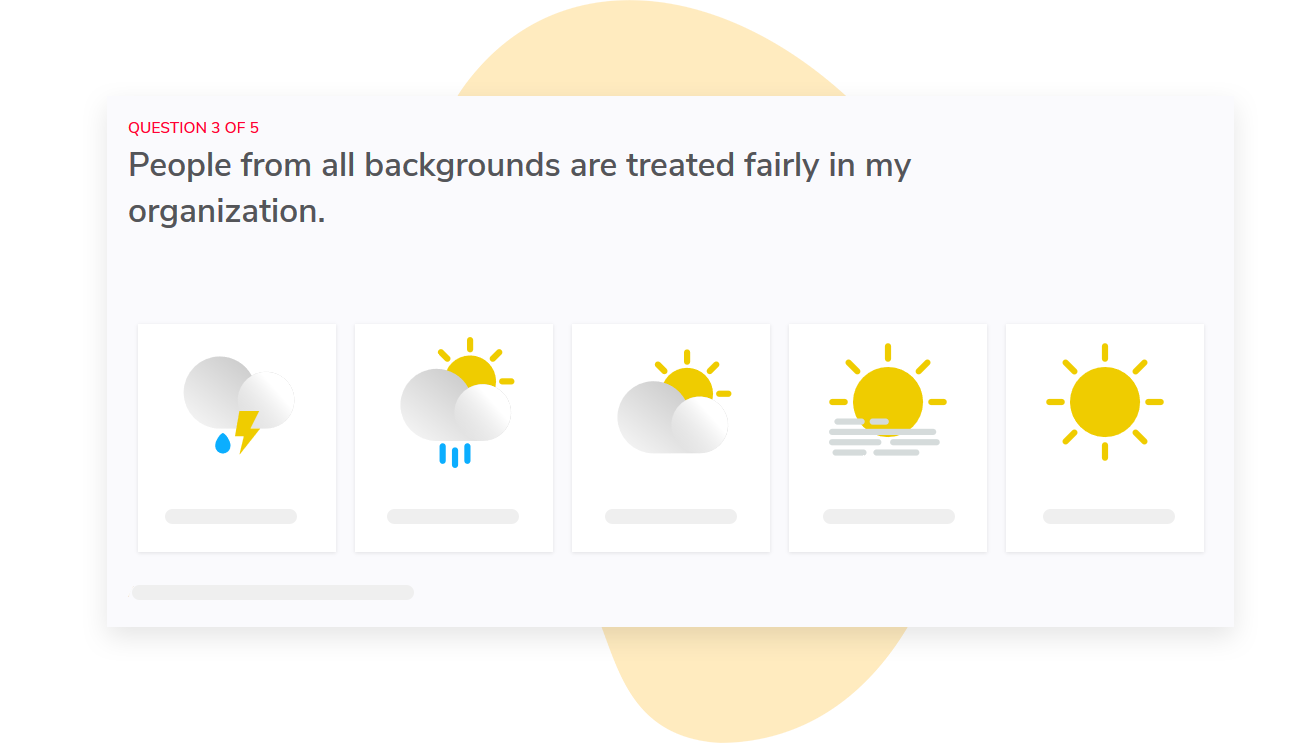
For large organisations we automatically map report access based on the organisation hierarchy, so managers only see reports for their teams.
We also allow you to hide results until a minimum number of responses are received (default is 5 but this can be changed).
During your demo you can ask us to switch between roles to show you what different views look like and determine whether the level of detail is appropriate for your managers.
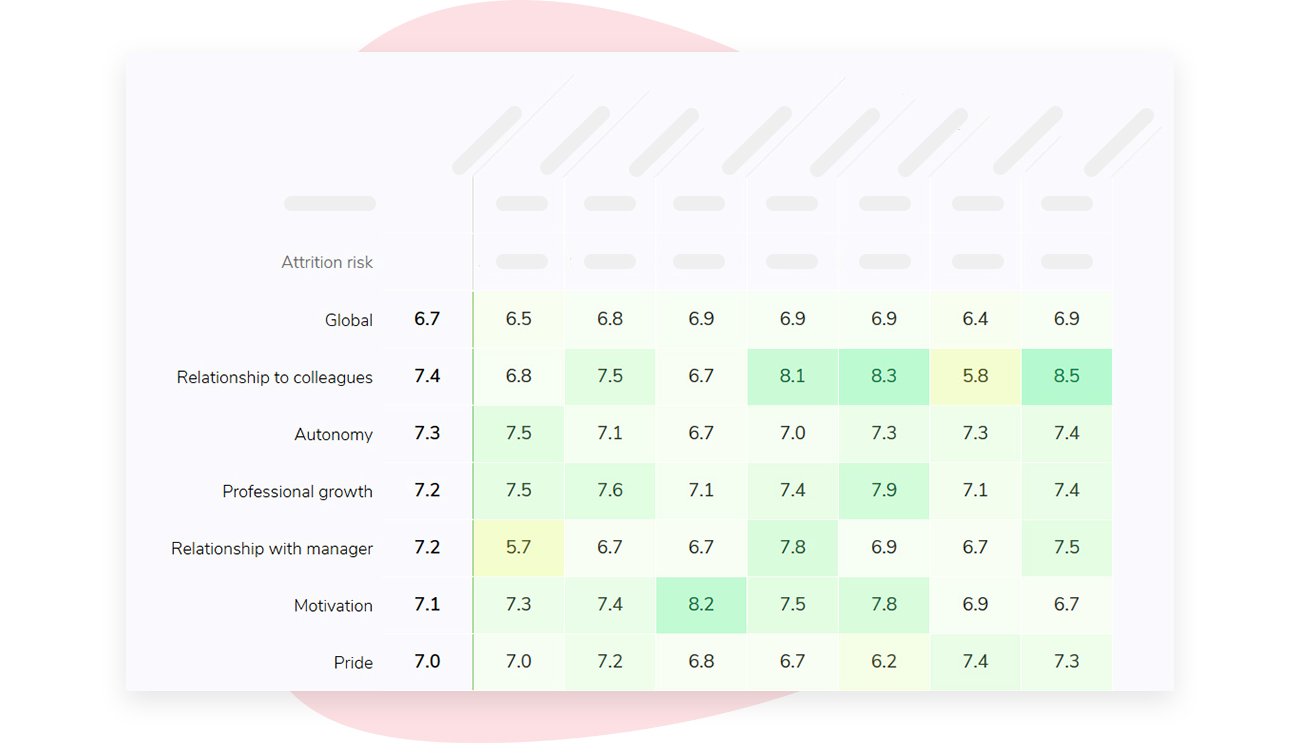
If your team scores the tool poorly, you can ask us to complete the same scripted task you’ve given other vendors and rate us accordingly.
If you’re interested in learning how Sparkbay can help you build a more engaged workforce, you can click here for a demo.
7. work out the full cost, not just the license fee
How do you figure out whether an employee experience programme represents good value?
By calculating all the costs involved.
Sure, you need to know the license price, but that’s not the only thing you need to consider. You also need to consider the cost of setting the programme up, any additional modules or connectors you may pay for, the time your HR team spends designing and launching each cycle, the time your managers spend etc.
To understand what "etc." means, you need to factor in how many managers you have, how many hours they spend reviewing results and holding a conversation with their team, and how many cycles you plan to conduct each year.
Let’s do some simple math. Suppose you have 400 managers who spend 3 hours per cycle. Let’s say you plan to conduct 4 cycles per year. That amounts to 4,800 manager hours a year (400 x 3 x 4). Simple math. You can see that those hours will probably cost you more than the license - which also explains why you may want to pay for a platform that saves you an hour per cycle at a higher quoted price.
Your costs are also impacted by how many surveys you plan to run. If you decide to switch from quarterly surveys to monthly pulses, you’re multiplying these manager costs by a considerable amount. And that may not be worth it if teams don’t have enough time to act before the next pulse survey arrives.
To conduct a fair vendor comparison, request quotes that include the same headcounts and the same features, so you’re comparing like with like.
This also allows you to conduct "what if" tests to determine how different scenarios - e.g. what happens if we acquire another company? What if we hit a seasonal peak? What if we have to sell off part of the business? - will impact your costs.
This also allows you to spot if a vendor:
- asks for a large setup fee (in which case, you can ask for a breakdown of this cost)
- includes contractors that you don’t plan to survey in the price
- doesn’t put a cap on price increases at renewal
Plus, you can come up with a rough return on investment figure. It doesn’t have to be complicated. It’s as simple as:
- adding up the value of a specific outcome that you can reasonably tie to your employee experience programme
- subtracting the cost of the employee experience programme (taking into account all the costs listed above)
- dividing the result by the cost of the employee experience programme
The tricky part is finding an outcome that you can tie to your employee experience programme.
Retention is a great one, because it’s easy to tie retention to your employee experience programme. Gallup research found that many employees who choose to leave a job think their organization could have done something to keep them.
Of course, not every resignation you avoid will be because of your employee experience software.
One way to approach this is to look at which teams act on their employee experience data, compare their attrition rates to teams that don’t act on their employee experience data, and then compare both of those figures to your normal attrition rate. Sure, this introduces some bias into the calculation since the teams that act on employee experience data are probably the teams that would work to keep their people anyway, but it’s a lot easier to defend than a number you make up.
You can also factor in productivity or absence figures, but only if you can measure a change and then link that change to your employee experience programme in a convincing way.
So why bother creating an ROI estimate? It’s helpful when you’re deciding whether or not to invest in an employee experience programme. But it’s not something to present to your Finance Department as a promise that you’ll hit that ROI by renewal.
8. run a pilot before you commit
It’s worth running a pilot to make sure that the new platform will work for your company. Will the rollout actually happen the way you expect it to? Will managers do what you want them to do?
At this stage, it’s important to ensure that your pilot isn’t filled with volunteers. Enthusiastic managers may overstate the level of adoption.
Instead, find a range of managers to participate, including some sceptics. You’ll also want to include at least one deskless site in your pilot and ensure teams are large enough that the anonymity threshold can be met, unlike teams of 4.
Set targets and test the full cycle
Before you begin, set targets for your pilot. How many people do you expect to participate? How many managers do you expect to log in?
How many conversations about results do you expect to take place? How many actions do you expect to be completed?
Once your pilot has started, ask people questions after they’ve submitted their answers. Do they know who will see their answers? This is one of the most valuable early warning checks you can do, because you don’t want a misunderstanding during the pilot to turn into a rumour during the full rollout.
Research on employee surveys suggests that one of the most important factors influencing whether employees believe there’s value in providing feedback is whether they see visible follow-up.
As Jeffrey Pfeffer and Robert Sutton argue in The Knowing-Doing Gap, organisations often confuse talking about a problem or measuring a problem with actually doing something about it. If your pilot ends when the results arrive, you’ll only be assessing the "knowing" rather than the "doing" - and it’s the doing that will determine whether your platform is worthwhile.
Try to extend your pilot so that it includes a short follow-up pulse. Ask your employees if they notice any changes based on their feedback.
Ask your managers to go through a process of reviewing one of the results with their teams.
Then debrief them. Did they struggle to complete certain steps? How long did it take them?
What did they need from HR that they didn’t get from your platform? This will give you an idea of how much human resource support to budget for when you move to full scale.
Once you’ve gathered all of these insights, feed them back into your scorecard.
Remember: You should only change a score if you have better evidence from your pilot. Be sure to record the reason for your change, as this could be important if your final decision is challenged or if you have a renewal discussion three years down the line.
If you’re interested in learning how Sparkbay can help you build a more engaged workforce, you can click here for a demo.