
In her book Privacy Is Power, Carissa Véliz explains that collecting data, even with good intentions, comes at a cost. When you collect personal data with good intentions, you wind up creating new possibilities that the data can be used for that nobody agreed to.
This is important for engagement platforms to understand, since HR teams often forget about the potential impact of the data they plan to pull from the HR feed or about the kind of reporting they want to set up based on that survey data.
When it comes to using people analytics to boost employee engagement, the goal is pretty clear: Identify engagement issues early, empower managers with usable information, and take action to prevent the loss of good people.
You know the drill. You select your vendor, book a date for your engagement survey, and ask your IT department to help you link your survey with your employee HRIS.
Then you find yourself waiting for what feels like an eternity while your project goes through a security review process.
Your IT team isn’t trying to be difficult - they’re just trying to do their job. The problem is that HR arrived to the review process with a vendor already selected and without a data specification document. With no concrete information to review, IT has to assume the worst - that the survey link will require a complete export of the employee HRIS, live syncing capabilities, broad administrative rights, and indefinite data retention.
It’s totally understandable that you want to get your engagement analytics project up and running while the results still matter. That’s a legitimate business need. But it’s also important for your IT department to highlight that even though your survey responses will be correctly anonymized, there’s still the chance of exposing individual employees when demographic cuts or hierarchy data (loaded alongside the survey responses) are granular enough.
Write the data specification before the vendor demo, not after the contract.
By the time your data security review rolls around, you can drastically simplify the process by presenting your IT team with a data specification document that lists the fields you need, why you need them, a diagram that shows how the data flows, and access rules to specify who can access the data all based on a named source.
Connecting engagement scores to org data: what IT needs to review
- In this article
- Why does IT want to push back on engagement projects?
- Collect less data than you think you need
- Provide a high-level flow of data within your organisation to the IT team
- Should login and view access be separate?
- Give your privacy and legal teams something concrete to review
- Vetting vendors: don’t shy away from the tough questions
- Use the approved setup to make better decisions
- How Sparkbay can help you keep engagement reporting within the rules
In this article
- Why IT teams resist employee engagement projects
- You probably don’t need as much data as you think you do
- Identify what data absolutely needs to be collected and stored before you discuss integrations
- Identify who the data will be shared with and whether it needs to remain anonymous
- Provide your privacy and legal teams with enough information to check compliance
- Conduct an internal review to receive feedback from relevant departments on the employee engagement software you’re proposing
- Make informed decisions with the approved software setup
- Present an approved software setup to your IT department
Why does IT want to push back on engagement projects?
Why does your IT team want to push back on your engagement project?
They’ve been burned by bad IT tasks.
Case in point:
You’re trying to get your employee engagement platform off the ground. Your vendor asks you to send over a starting population while you’re waiting for API or SFTP feed. Someone on your team figures this data export can’t be that big of a deal.
It’s a one-off.
What they don’t know is that this spreadsheet remains in a shared mailbox, a vendor onboarding folder, or someone’s downloads for years.
This is the kind of scenario your IT team is paranoid about when they bring up shadow IT, personal data, or connectors that aren’t updated.
So how do you respond to these data security fears?
Make it clear that the first data dump will go through the same, controlled channel as the regular sync, so there won’t be any one-off data exports.
If you can’t make the data feed up and running before the first survey, then you’ll have to push that survey back until you can make that promise.
Why? Because, according to Verizon’s yearly data breach investigations report, most data breaches include a human element, such as human error, misuse, or social engineering. In other words, people play a big role in data breach weaknesses.
Another reason your IT team may want to "own" an employee engagement project is that HR "owns" the project too, considering HR is the team that will figure out the "why" and what happens next once the data is gathered.
Meanwhile, IT "owns" the project, since they set up the technical controls.
What about the other teams? Wouldn’t it be logical to have HRIS teams involved in employee engagement projects?
Why? Well, when there’s a reorganization, there’s a new hierarchy that can potentially break the feed from the hierarchy to the rest of the organization (even if the hierarchy is set to update on its own, there’s still a need to have a working human team to repair it). So it’s important for the organization to have a person or team to fix it.
And to fix it within a set period of time.
It’s important to agree on what that contact person will be and what time frame is expected before a new engagement project or survey goes live.
It’s also important to agree on the "rules of the game" before the engagement survey.
For example, one common industry approach is to take a snapshot of the hierarchy on the day the survey goes live and tie every survey result to that snapshot.
This means any organizational change that happens in the middle of the survey cycle won’t be reflected until the following survey cycle.
Why? Because this saves the HR and IT teams from having to deal with two separate org charts for one survey report.
What’s a good question to ask yourself to end the debate?
What information about an employee does my employee engagement platform need to give their manager a useful team result?
Collect less data than you think you need
During your people analytics project, steadily push back against the temptation of "scope creep." Your team may want to add performance ratings, pay information, or collaboration metadata to your survey feed. These may be seen as a "nice to have or a way to show the big picture" on a dashboard.
Every added data point elevates the number of data cells available. Consider Department × gender × tenure band × location. This can easily produce dozens of groups of just three or four people.
Data slicing like this elevates the risk of re-identification.
Before requesting a particular data field, do some back-of-the-napkin calculations. Use the HRIS system to identify how many people are currently in particular data groups. When possible, consider how to make a data dimension less granular (e.g. going from six tenure bands to three) or take another route (e.g. collecting data on regions instead of individual sites) to avoid re-identification risks.
Ensuring a particular data field aligns with your organization’s current data classification scheme (rather than coming up with a one-off scheme for this project) can also make it easier to identify and mitigate risks down the line. In addition, having your IT and privacy teams review the risks of collecting the information can help confirm you’re acting appropriately. They can help you determine whether your organization needs to rethink collecting ethnicity information (special category data under GDPR rules).
You may not need to pull ethnicity data from your HRIS at all. Instead, you could collect it via your survey. You could also give employees the option of not answering this question, so they provide consent to this data use rather than your HR team making assumptions.
Another tactic to avoid asking for too much data is to keep the specific question in mind. If your goal is to understand how engaged each group is across departments, it’s going to be important to know who they are, which department they’re in, their relationship with their manager, and their employment status.
Keep in mind that your relationship data may be inaccurate. Especially if you’re a "matrixed" organization, the data in your HRIS about who reports to whom may be incorrect or unclear. If you plan to use this data to restrict access to certain reports, then this becomes a security issue (not just a data quality issue).
Make a "minimum data set" request. After you get this "minimum" data set, any additional items require a "strong, separate" ask.
When you’re requesting data for your people analytics project, consider a "minimum data set." Think about data that is only a) enough to identify a person and b) other attributes that identify the same person as part of the correct team. Asking for a huge "data dump" - giving a team access to "all the data" with the plan to filter it down later - raises privacy concerns.
Even if the data is "filtered" at a later date, every field that was brought in during the initial data ingestion needs to be cared for, secured, considered for subject access requests, and deleted after a certain period of time.
While you want to avoid leaning towards too much data, you also don’t want to lean towards too little data, resulting in a "light" data gathering exercise that doesn’t give you what you need. If you want to see whether an employee’s first year is different from their subsequent years, then it’s easy to justify asking for tenure band data. It isn’t necessary to ask for exact hire dates (which could introduce re-identification risks if you have employees on very small, specific teams that recently joined.)
For years, Gallup’s global workplace research has shown that only a minority of workers say they’re engaged.
Provide a high-level flow of data within your organisation to the IT team
Your IT staff will need to know where the data is coming from, where it’s going, and whether there are multiple versions of that data?
A helpful exercise is to put together a one-page overview diagram that saves them from looking through a list of features.
On the left side of this overview diagram, it would be helpful to show the source of the HRIS information, which fields the HRIS sends, how often it sends these fields, and whether the updates are effective dated.
Where do the survey answers get stored? Does anything get exported out of the survey platform for internal reporting?
When your employer feedback platform pulls updates from your HR feed, does it do so through an API or through SFTP?
If it’s a native API, your team will want to verify that the permissions are suitable, scoped, and read-only and understand what happens when the connection fails.
What happens if the API sync breaks? Does the API keep running on the last known org hierarchy that it has data for? Are managers unable to access dashboards until the sync issue is resolved?
If your SFTP syncs are on a set schedule, you’ll want to find out whether these files are encrypted at rest (e.g. PGP) and whether the vendor deletes these files once they’ve been ingested or if they’re kept indefinitely.
What happens if the vendor receives badly formed data? What if the vendor receives a cut-off export that makes it look as though "these 400 people have left", when the platform should simply have updated their data?
This can lead to reporting issues or access issues further down the line.
Is there a way for the vendor to enter data refusal based on a certain tolerance level agreed upon by your team? Can the vendor flag this for someone on your team?
Does your organization already have an integration team that uses middleware? If so, continuing to use this middleware will make ongoing maintenance easier.
Your team will already be able to use the monitoring and alerting features of that particular middleware.
That said, it’s important for your organization to be aware that employee data will also be housed in this middleware system, which often logs incoming and outgoing payloads.
This is something you’ll want to highlight on your diagrams, so it doesn’t get missed.
Another way organizations can fall foul of security compliance is by defaulting to sending all of their data to the central data warehouse.
Data warehouses or data lake houses are an excellent way to keep all of your data in one place for analysis under broader governance structures.
However, once your survey data resides within this data warehouse, it may no longer be protected by the reporting threshold on your survey platform.
Any analyst with access to that data warehouse may be able to run join queries on the survey data.
Consider only sending aggregated survey results to the central data warehouse/data lake after applying reporting thresholds.
Alternatively, make sure a reporting threshold is applied at your end, within your own reporting layer.
Don’t forget to highlight the authentication process.
Check whether your platform supports SSO. And if your deprovisioning happens through your identity process, see whether your platform supports that. Find out if your organization uses SCIM.
Keep in mind that while SCIM removes user accounts, what a manager will see is dependent on the org hierarchy feed.
Even if IT deactivates a login, if a manager moves to another role, they might still see results for the teams they used to have until their org hierarchy is updated.
Finally, when you’re testing, use synthetic or masked data.
Uploading your entire employee file into a sandbox environment "just to make sure the mapping works" brings back the spreadsheet proliferation problem, but in a different environment.
Consider creating a test case that follows one employee’s lifecycle. They join the organization, join a particular team, receive a survey, move to another part of the organization during the survey cycle, and eventually leave the organization.
What data in other systems changes as a result of these events?
When results are generated and sent out to their team again, are their results attached to the team they responded as part of or their current team?
Should login and view access be separate?
When determining permissions for your survey platform, consider the following questions separately:
- Who is permitted to log in to the survey platform?
- What is each user permitted to see or open within the platform?
For example, survey administrators will require permissions to create surveys and keep the survey system operational. However, this does not mean they should automatically receive full reporting access for the entire organization.
Similarly, managers may need permission to view combined results for their team, but they shouldn’t be able to view responses at the individual level.
In her book Privacy in Context, Helen Nissenbaum argues that whether a data use is appropriate depends on the norms of the context in which the data was first shared. She names this idea "contextual integrity".
When an employee completes an engagement survey for their organization, they do so with the understanding that their responses will be treated with the social norms of a confidential channel.
If managers are allowed to view responses tied back to them - even indirectly - they violate these social norms.
In many cases, you’ll want survey results to only be available once a minimum number of responses have been collected. On the whole, the default number is 5, although there is some debate about how large this number should be.
Some organizations opt for higher thresholds within certain demographic groups or when presenting comments, since comments often contain specific pieces of knowledge that can easily identify the writer.
This means that results for smaller teams may not be viewable.
Depending on the distribution of team sizes within your organization, there may be challenges with this approach. If most frontline teams consist of 6 to 8 team members, a 7-person threshold means managers likely won’t be able to see results for most of their teams.
One thought-through approach may be to set a lower threshold for survey scores and a higher threshold for displaying comments.
You should also keep in mind that even with a minimum threshold, there’s the potential for inference. A manager that knows they only have one new team member can figure out what’s changed by comparing results/scores from one survey cycle to the next.
To further reduce this risk, you may perform differencing tests. Consider the following scenario:
- Department view - user can see 12 people in this department
- Sub-team view - user can see a specific sub-team consisting of 7 of those people
By subtracting the sub-team responses from the department responses, the user can effectively see the responses of the 5 other people in the department.
If this leftover group of people is smaller than the threshold required for data display, the user has circumvented your threshold rule.
To identify potential gaps, perform these differencing tests based on your actual organizational hierarchy.
There’s also specific risk tied to displaying comments. It’s easier to identify someone based on their writing style or the specific events they mention. Deciding who can see these raw comments, whether managers can view these comments as is or as summarized themes, and how to handle comments that report harassment or safety issues must happen well in advance.
You don’t want to compromise confidentiality, but you also need to protect your organization by reporting problems.
Features like pseudonymized IDs (that can be used instead of sharing user names between systems but still allow connecting separate records) and encryption that keeps data protected in transit and at rest are certainly beneficial.
However, they don’t change who is able to access a certain report.
It’s also worth noting that pseudonymized data is still considered personal data under GDPR.
All this impacts what you tell your employees. If you have identifiers that allow responses to be linked to specific people, calling your surveys "confidential" rather than "anonymous" is more appropriate.
Otherwise, you risk losing credibility with your employees or creating compliance problems with your privacy teams.
On the topic of compliance, inquire with your vendor about which changes to user permissions or data exports are recorded in the audit log.
Can your IT department review the audit log? If user permission changes or data exports are not recorded or reviewable, that’s a problem.
What if you export the results and store them in your own environment? Ensuring this audit review is also possible in that environment is important.
Why? According to IBM’s yearly data breach study, one data breach can cost an organization millions of dollars.
Give your privacy and legal teams something concrete to review
Saying "We comply with GDPR" is not enough for privacy teams, policy makers, and legal teams.
They need to know the nitty-gritty details of the survey: the purpose, lawful basis, fields, recipients, subprocessors, retention periods, etc.
For example, from a legal standpoint, teams need to know whether you will ask for consent or use another legal basis for processing the personal data of your employees.
You may need to avoid consent, given the inherent power imbalance between you and employees, which would make consent unreliable.
For this reason, legitimate interests that must be supported by a documented balancing test may be a more common legal basis for functioning engagement surveys.
Then, there will be co-determination rules that can vary wildly depending on your jurisdiction.
For example, in Germany, there are co-determination rights of works councils when it comes to technical systems that have the potential to monitor employees’ behaviour or performance.
An employee engagement platform that’s fed by data from an HRIS might fall under this ambit.
Check with your works council before setting a survey launch date, as you may need to go through consultation steps within certain timeframes.
On the flip side, you can use your works council as a partner in designing the employee survey instead of merely approving it.
For instance, if they help make decisions about things like the reporting threshold and rules about comments, they may be more likely to support the survey when talking to employees.
On the other hand, if they’re simply presented with a finalized configuration, they may wish to go back to the negotiation table.
You’ll also want to consider whether you need to carry out a data protection impact assessment (DPIA).
If you do, it’s worth conducting the DPIA at the same time as you start designing the flow of personal data through the survey.
If you choose to remove a certain data field from your survey before it goes live, you won’t have to revisit new discussions down the road after you’ve produced trend reports using that data field.
You’ll also want to understand the different retention period policies needed for the HRIS feed to the employee engagement survey, the employee engagement survey data itself, and possibly aggregated data.
You’ll also need to think through what happens when someone leaves the company, when their contract is terminated, or when they submit an erasure request.
If you want to keep anonymized or aggregated data only for year-over-year comparisons, it’s worth highlighting this distinction and agreeing to it during your privacy and legal discussions. You don’t want to promise three year trend data and then find yourself unable to do so.
Similarly, it’s worth agreeing that if an employee submits an erasure request, their individual response-level data will be erased, but the data that they contributed to in an already-aggregated format won’t.
What should you bring to your first meeting with IT and privacy?
- What the question is that the survey needs to answer and the fields needed to answer it (and why each field is needed)
- A diagram of what data will be transferred where, stored where, and information on any middleware or additional exports
- Information on which HR, administrator, or manager roles will have access to which data and what data source drives those accessibility rules
- The reporting threshold, how you plan to handle comments, and a plan to test differencing with small groups
- Draft retention periods and vendor security documentation
Vetting vendors: don’t shy away from the tough questions
Receiving a security certificate from a vendor helps your IT department understand how a vendor manages its security program. But it doesn’t help you understand how vulnerable your own configuration will make you.
Ask vendors to provide whatever attestations they have (e.g., ISO 27001 certification or SOC 2 Type II report). These attestations are not interchangeable, and a good vendor may not necessarily have both. With ISO 27001 certification, ask for the scope statement to figure out whether the certification includes the product and the hosting environment or just corporate IT.
You may also want to ask about ISO 27701 certification if privacy management is part of your assessment.
If your IT team has a standard questionnaire for vendors (e.g., SIG Lite, CAIQ), send this questionnaire at the very start of the vetting process, not after the vendor has been chosen. Once you have these completed documents, you can highlight areas of concern or flag questions for follow-up. For instance, you may want to confirm where the data will be stored, whether certain subprocessors (e.g., AI, text analytics provider to process comments) will handle the data, understand the breach notification terms, how the data will be returned to you and deleted upon contract expiration, and more.
Specifically around AI, ask vendors whether any of the data gathered from comments will be used for training models beyond your tenant. A yes may not necessarily rule out a vendor, but it does introduce a new use of data that must be accounted for in your survey notice.
Ask your vendors to demonstrate how they will manage these controls within the product. You can ask them to move a manager to a different team and demonstrate what that manager can and cannot see. Or you can ask them to put a filter on that would lead to the capture of a certain group (e.g., 4 people).
This way, you can understand whether their policies hold up in day-to-day user experiences.
Be wary if a vendor cannot explain to you who within their organization has access to the response data, if they’re vague about the data deletion process, or if they say safeguards are "on the roadmap" while still requesting your employee file.
Use the approved setup to make better decisions
If everything is running smoothly, it’s tempting to jump straight into predicting attrition at the individual employee level.
Resist this temptation. You’ll build more trust and be more useful if you spend your first year understanding trends at the group level and providing managers with group-level findings they can act on.
Why does this order matter? It allows your descriptive reports (e.g., where are employee engagement levels low) to build the trust needed to turn into diagnostic reports (why are employee engagement levels low here?).
Plus, if you start creating predictive models before you have descriptive and diagnostic reports, you won’t have trustworthy baseline data to test your models against.
Consider the following example. Imagine that employee engagement levels dropped in one department after the employees’ shift patterns were changed. An HR team might step up to conduct more analyses to determine whether the drop in employee engagement levels is spread across the whole department or focused on one especially large team.
Then the manager of that team can have an open conversation with the employees on the team about the shift pattern change before deciding whether to change something (e.g., the shift handover).
Keep in mind that this is only a made-up example of a conversation that could take place. It’s not an example of what you should do (i.e. use employee engagement surveys to diagnose changes in the workplace).
Instead, your employee engagement surveys serve as data points to help you ask questions and start conversations. And these conversations give you chances to make different changes in the workplace.
Keep in mind that Gallup research shows that 70% of the variance in employee engagement between teams comes down to the manager.
So there is a good reason for companies to compare employee engagement levels and trends between teams. That said, there isn’t a good reason to include employee engagement scores in manager performance ratings.
This is one factor that contributes to "score management" among managers. And employees pick up on this.
While this may be viewed differently by different organizations, it’s worth bearing in mind. At the very least, employee engagement scores should be adjusted for factors like workload and working conditions before anyone draws conclusions about a manager.
Gallup also points out that there’s a correlation between teams with high engagement levels and lower turnover levels. If you want to see if this link shows up in your own data, start by conducting group-level trend analyses over time.
Linking survey response data to individual employee data or exit data violates the promise you made to employees, so be sure to:
- Discuss this possibility with your IT and privacy teams.
- Update your survey notice to reflect this possibility.
Once the next survey rolls around, make sure to close the feedback loop by asking employees what they noticed as a result of the previous survey.
How you close the loop can have a big impact on your survey response rates for future survey cycles.
If your survey response rates dip over time, pay attention. If the response rates dip in one team but remain steady in others, this is a sign about the level of trust in that team that deserves attention.
How Sparkbay can help you keep engagement reporting within the rules
Sparkbay makes it easy to run surveys on a regular cadence and track results using an engagement score out of 10. Once your HR feed is approved, it’ll be reused for every pulse, so HR can easily track change over time without having to go back to IT for new data every cycle.
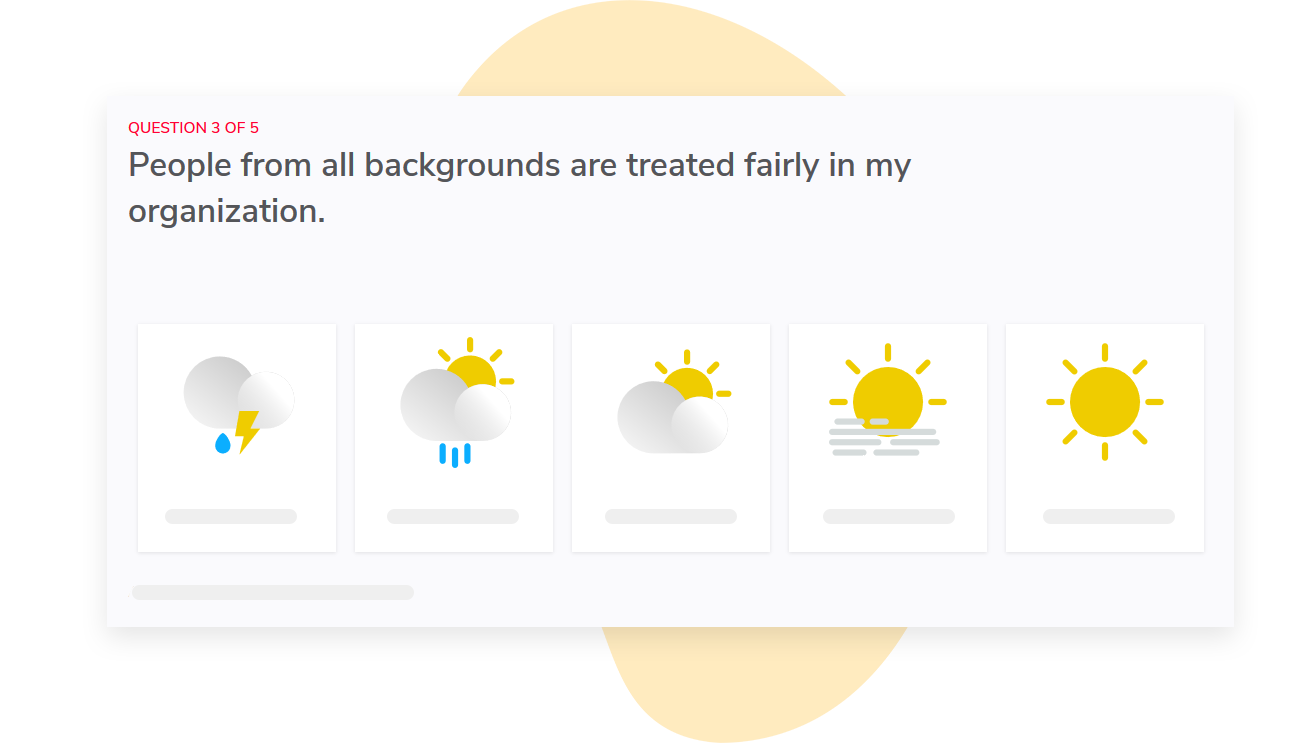
You can compare results across different groups (e.g. departments, managers) to see where a pattern is concentrated before deciding where to follow up. Managers only see reports for their own teams, based on automatic mapping of access rights to the org hierarchy. This is why it’s so important to have an accurate hierarchy feed.
We also let you configure the wording of the survey and the dashboard content so what managers see is consistent with the access and disclosure rules you agreed on with IT and privacy teams. You can even label the survey as "confidential" if that’s the proper term for your set up.
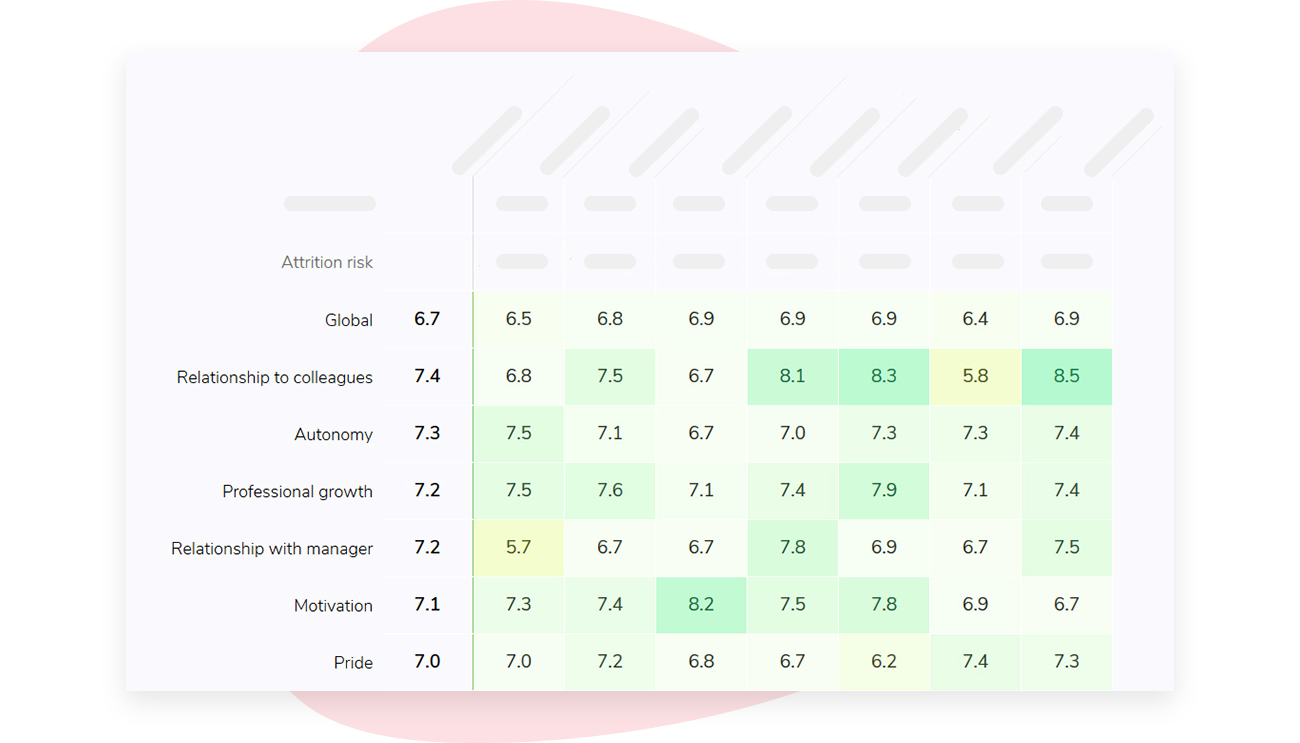
If you have small groups that you’re concerned about, it’s easy to address this. Sparkbay will hide results if the number of responses is below a minimum threshold. This minimum threshold is customizable, and by default, it’s set to 5.
You can choose an appropriate number based on the size of your teams and the splits you want to show. You can also test this number with overlapping groups to ensure it works. We recommend that you communicate this rule to employees before the survey starts.
If you’re interested in learning how Sparkbay can help you build a more engaged workforce, you can click here for a demo.
Set your IT meeting up for success by bringing all the necessary materials
When you sit down with your IT team, don’t forget to bring everything you need.
We’re talking about your list of fields (and why you need them), your diagram of how the data moves, and the access rules you’ve suggested and which data source controls them.
Your vendor’s answers to where the data will be kept, which subprocessors are involved, what security steps are in place, and how the data will be removed are helpful to have as well.
Plus, bringing your cell count check is a great idea. It shows your IT team that you’ve already met them halfway (e.g. removing certain fields, making tenure bands less granular) by taking their concerns into account.
During the meeting, ask the IT staff what ongoing support they expect this setup will need from their team and who they think will be responsible for this support once it goes live.
As a group, you can also decide what open questions or issues must be resolved before you can start a pilot and what issues can be resolved after the pilot.
If your first version can answer one helpful question about employee engagement while limiting how much employee data is exposed, you’ve got a justifiable starting point that will also get through review much faster.
If you’re interested in learning how Sparkbay can help you build a more engaged workforce, you can click here for a demo.