
Describing your survey as anonymous when it’s actually confidential can lead to skewed survey responses. Your employees may not feel comfortable providing honest answers to survey questions, even before the survey starts.
Why? Because they may assume the survey is meant to be anonymous (no identifying information is collected) when in fact it’s confidential (their responses are linked to them in some way, but measures are in place to ensure their responses remain confidential from managers).
You may have already finalized the survey questions and decided on a launch date when representatives from employee groups ask you questions about the survey.
Your employees have a fair question when they ask: Who will have access to survey responses?
If you have a works council, union, or staff forum representatives, they’ll need to know who has access to survey responses so they can explain to employees how their privacy will be protected. For instance, your employees may be worried that managers will recognize a comment they made about a team meeting last month. Employee representatives need to know whether those concerns are valid.
Data privacy is a hot topic, and the difference between anonymous and confidential surveys is not as fuzzy as privacy policies make it seem.
For instance, an anonymous survey is a survey where technically no one can link an individual response back to a person.
On the other hand, a confidential survey is one in which responses are linked to the individual in some way, but there are measures in place to ensure responses remain confidential from managers.
In the same way that employees will expect their representatives to keep employee privacy in mind when they’re reviewing how survey data is handled, you’ll need to keep that in mind when you’re choosing your survey tool.
If employee representatives find out that your organization lied about how employee data would be used or accessed by speaking to someone in IT or a representative from the survey provider, they’ll lose credibility. And you’ll lose credibility, too.
As a result, you’ll need to be prepared to share information about where employee data will be stored, who will have access to it at each stage, and information about what you plan to do with the survey results.
Confidential versus anonymous, response thresholds, and what union representatives will ask
- Anonymous and confidential surveys offer different guarantees
- Why your representatives will ask "who can see what?"
- Provide your representatives with a clear understanding of the data journey from invitation to final report
- Set reporting thresholds that work for real teams
- Treat open-text comments as a separate privacy decision
- Ensure you’ve checked consultation rights and privacy rules before launching the survey
- Write an invitation that’s easy for employee representatives to support
Anonymous and confidential surveys offer different guarantees
An anonymous survey ensures that at no point can the employer or the employer’s provider link a person to their answers.
In reality, most large enterprise surveys don’t meet this standard during the survey fieldwork period. Unique invitation links, the ability to track whether a respondent completed the survey for reminder emails, or attaching HRIS attributes to each employee’s invitation can all create a link between the employee and their responses. This makes the survey confidential at least during the survey fieldwork period.
Which is better? Anonymous surveys or confidential surveys? There’s no clear winner.
Each offers tradeoffs.
For instance, in an anonymous survey, you can’t manage duplicate submissions or send targeted reminders. This survey also cannot offer an analysis based on demographic questions like department or tenure, unless employees voluntarily provide this information. But even when asked to provide this information voluntarily, they may not feel comfortable doing so.
For example, if they know they’re the only woman over 50 in their small team, they may feel uncomfortable identifying themselves by ticking those boxes.
A confidential survey allows a company to maintain accurate HRIS data cuts, produce accurate response rates, and if desired, link survey results to later outcomes (e.g. turnover). Of course, this introduces the need to manage and protect employee data with respect to when that link will be broken.
Which brings us to the next question: when will it be safe for identifiable information to be discarded? Will it be once the survey’s closed?
Or are they going to be linked in the future, perhaps for trend purposes or until the end of a contract? It may not even be a long timeframe. Companies may choose to link survey results back for a subject access request or legal hold in the event of a dispute, or if a vendor needs to troubleshoot something.
There’s nothing wrong with a company linking survey data back to employees for these reasons, but companies need to be aware of them. A good approach may be to say that the survey is confidential during the data collection period, but that information will be anonymized 30 days after the close of the survey.
Companies should be wary of a vendor that claims a survey is anonymous, when they know the system retains identifiable information about survey participants.
Why? Because your company might receive a question like, "Can you tell me what my answers on the last staff survey were?" Should your company then provide that information?
Posing these questions to the survey provider ensures you know what your data will be used for.
You can ask your survey provider questions such as: "Does your system retain invitation tokens after I submit my survey and for how long?" "Does the system capture IP addresses, device data or timestamps that are linked to my survey responses?"
You can ask your survey provider specific questions about what information respondent support staff have access to. "Can respondent support staff retrieve individual records? Would that be logged?"
And you’ll want to know what information is included in exports. "Does the raw data file include the HRIS fields we uploaded?"
Your survey provider might give different answers to these questions depending on whether you’re asking for the survey fieldwork, the reporting period, or for information about the organization’s archive.
Why your representatives will ask "who can see what?"
When your representatives ask, "Who can see what?", they’re thinking about how a manager may be able to infer information from the results they receive from their employees.
For instance, if a team of 6 employees provides a poor score for their manager, the manager may be able to infer which responses belong to which employees based on who pushed back during a meeting last month or who asked for a transfer.
Or how easy it would be for someone to infer that a specific employee hasn’t responded from a team-level dashboard showing response rates.
Despite efforts to avoid releasing potentially identifying information by applying a minimum number of survey participants for teams, there may still be ways for a manager to infer information from participation rates.
This is an important issue because research has shown that retaliation can be a concern for employees who report misconduct. While an employee may not worry about retaliation in an employee engagement survey, they may still be concerned about the security of their data, which is why a review of access rules is important.
Amy C. Edmondson makes a related point about speaking up in The Fearless Organization: People weigh the immediate personal risk of speaking up against the uncertain and delayed benefit of speaking up. More often than not, they’ll choose to "keep their heads down" and "not make waves". While anonymity may not address the lack of psychological safety, it at least mitigates the risk.
This leads to another important point to raise with your leaders. That is, if employees feel comfortable providing candid survey responses only because they’re protected by a minimum participant threshold, that’s a pretty important data point.
How do you determine the right risk-level? Ask your representatives what groups they think employees may be worried about. Their answers will likely include teams that wouldn’t be considered in a centralized privacy review like a small night shift, a team going through a restructuring, a site with a particular role within it, or the only employees answering a survey in a minority language.
Your representatives may also think of situations that you may not have considered where employees may feel their data security is at risk. An example is a manager who has to answer questions about their own manager while also receiving results from their team or employees who complete a survey on a shared kiosk or tablet that’s handed to them by a supervisor while they’re on the shop floor.
Provide your representatives with a clear understanding of the data journey from invitation to final report
A one-page, simplified data flow diagram is worth hundreds of meetings.
What do you need to include?
Start with the invitation. What will your HR team upload? Will it just be names and email addresses or will it also include information such as department, grade, tenure, age band, and gender?
This is important information to consider, because the more data you upload from your HRIS, the more filters you can apply later, and the more likely it becomes that a combination of filters narrows a group down to individual respondents.
To avoid this, you only want to upload what you’ve agreed to report on.
A useful way to determine whether you need a piece of identifying data is to create a simple exercise for generating decision-making questions. If no one can articulate what decision can be made using this data, then it can be omitted.
Next, think about where your employees’ survey responses will be saved, who will have access to the raw records at your survey provider, and whether anyone from your HR team can download those raw files.
It’s also important to indicate who the sub-processors are and where the servers are located on your data flow diagram.
Both your representative and your DPO will have questions about this. And when they ask, it’s helpful to have more than "That’s something the vendor handles" in your response.
When you’re thinking about the final stage of reporting, you also want to indicate the different access levels of the documents or reports you’re providing to executives as opposed to line managers.
What if there’s a leak through CSV exports, scheduled email reports, or even slides from a leadership offsite meeting?
Even if you have a dashboard that respects the platform’s threshold for level of detail, it won’t do much to protect you if someone exports a more detailed file and sends it to someone outside.
Finally, think about data retention periods. Different data sets have different retention needs. For instance, your invitation lists, raw survey responses, comments, and published reports might each warrant different retention periods, but often default to the same period.
It’s also important to indicate on the data flow diagram who within the organization has the ability to delete data ahead of time, and what deletion means for backups that may retain the data for weeks.
A key consideration is to ensure your representatives have access to an organizational access map with named roles and permissions before providing support for the survey launch.
The access map may help your representative identify areas of concern.
For instance, if your organization is conducting the survey itself, your HR or IT team may be in possession of identifiable data that an external provider wouldn’t. This allows you to plainly explain the situation rather than duplicating vendor privacy language that isn’t relevant to your situation.
As you gather this information, it’s also important to compare this access map to your DPA and what the employee notice says. That DPA may say data will be kept for the duration of the contract while the employee notice may say raw data will be deleted "after 90 days."
Set reporting thresholds that work for real teams
Setting a minimum response threshold suppresses results for any group that has too few responses. Five is a common default.
But is it always enough?
Well, recall that your minimum response threshold only takes the number of responses into account. It doesn’t take into account the size of the group. From a privacy perspective, this is important.
Five responses from a 5-person team tell the manager that they’ve heard from everyone and they also know that each person’s answers make up 1/5th of the average. On the other hand, 5 responses from a 20-person team don’t share quite that much information with the manager.
Similarly, if all five people in the small team give the lowest score, the manager now knows exactly how each of them answered, despite meeting the minimum response number.
What’s more, if users begin applying filters, they may be able to view only one person’s results within the 5-person team by combining different filter views (e.g., location then tenure).
Latanya Sweeney’s well-known research on reidentification showed that it only takes a few ordinary attributes (like ZIP code, birth date, and gender) to identify most people within supposedly anonymous records. While your employee engagement survey isn’t that rich of a database, this point underscores the risks of unlimited filtering.
Ask your employee survey provider the following questions. First, will your suppression rule be applied after every filter combination or just at the top level?
Second, can a user take a visible group and subtract it from an overlapping group to view the suppressed group?
Third, will users be able to compare results across survey waves?
For example, what if a particular team had 6 members in the previous survey cycle and only 5 in the current survey cycle (and the organization knows one person has left)? This could enable a differencing attack to access sensitive data.
This brings us to another issue: reorganizations. What if your organizational structure changes between the field date and reporting date? It’s possible you could end up with a reporting group that’s smaller than the minimum response level.
Your organization will need to decide whether to report based on organizational structure at the time of launch or the current organizational structure.
Discussing these issues with your employee survey providers ensures you can make informed decisions. You can also discuss whether you should set a higher minimum response threshold for sites with fewer staff members or specific modules (e.g., wellbeing, harassment) within an employee engagement survey. This is a decision that requires some judgement and there are differing opinions among employee survey practitioners.
There isn’t a clear, universal number that offers protection for all workforces.
Similarly, be aware of the impact of setting a higher threshold. This also comes with a tradeoff since there will be fewer reports for small teams and managers may feel left out. A common workaround is merging these suppressed teams into the next level reporting.
In this way, managers still get the department level picture that they can discuss with their teams.
Finally, document who has the power to change the minimum response threshold after the survey’s launch and how that decision will be communicated to stakeholders to maintain trust.
Treat open-text comments as a separate privacy decision
Often, the weakest link in your privacy measures is the open-text comments. Mentioning something only four people heard in a meeting, describing a unique role, using a phrase others don’t, or replying in a language that isn’t widely used can make it very easy to identify the respondent.
So while it’s important to tell employees "Managers only see aggregated results!", it’s equally important to disclose whether managers also see written comments. Employees will want to know who gets access to these raw comments before they’re summarized and grouped. And whether that person sits within their reporting structure, which they may be critical of.
Will there be a trained reviewer, preferably someone outside their chain of command, who will redact all identifying information before a comment is released to managers? If you plan on using software to identify and redact names and other identifiers, make sure you test it on real examples from your workplace. You want to ensure it picks up comments such as "the only night-shift supervisor", which would immediately be identifiable to everyone on that site.
If comments are going to be available to line managers, consider whether they can be shared as part of a theme, rather than as direct quotes, with direct quotes going to a smaller HR or leadership group. This will limit the texture of the information given to managers. But it’s worth considering what kind of detail managers really need in order to take action and how an HRBP can add the necessary context without sharing raw comments.
Have a plan in place for the dreaded comment you receive. This could be a harassment comment, a safety hazard comment, or a comment suggesting the survey taker is at risk of harm. Depending on the model you chose for your survey, this comment could pose a big problem.
If your survey is truly anonymous, there is no way to follow up with this person. If your survey is confidential, it may be possible to follow up, but this could jeopardize the promise of confidentiality made to other survey participants.
Ahead of time, agree on the protocol for dealing with such comments with your employee representatives. Decide who will see these comments, whether the survey provider or employer will ever attempt to re-identify a survey participant (the answer will generally be no for legal reasons), and how you’ll respond at the group level. This could include sending out a reminder of reporting channels to a site wide group, initiating a targeted review or ensuring support services are visible to employees.
Make it clear to employees that the employee survey is not a reporting tool, and direct them to the proper reporting channels.
Finally, provide employees with practical tips on how they can discuss their issues or share their stories without identifying a colleague or providing a date for a one-on-one. But be mindful that these tips don’t put the onus on employees to protect themselves. They should also feel protected in the review process, even if they choose to be more open and honest.
When employee representatives ask questions about small teams, we can show them how the reporting rule applies instead of asking them to simply trust a PowerPoint slide. In Sparkbay, we hide results below a minimum number of responses. This minimum is set to 5 responses by default, but we can change it to a higher number based on your discussions and decisions with employee representatives.
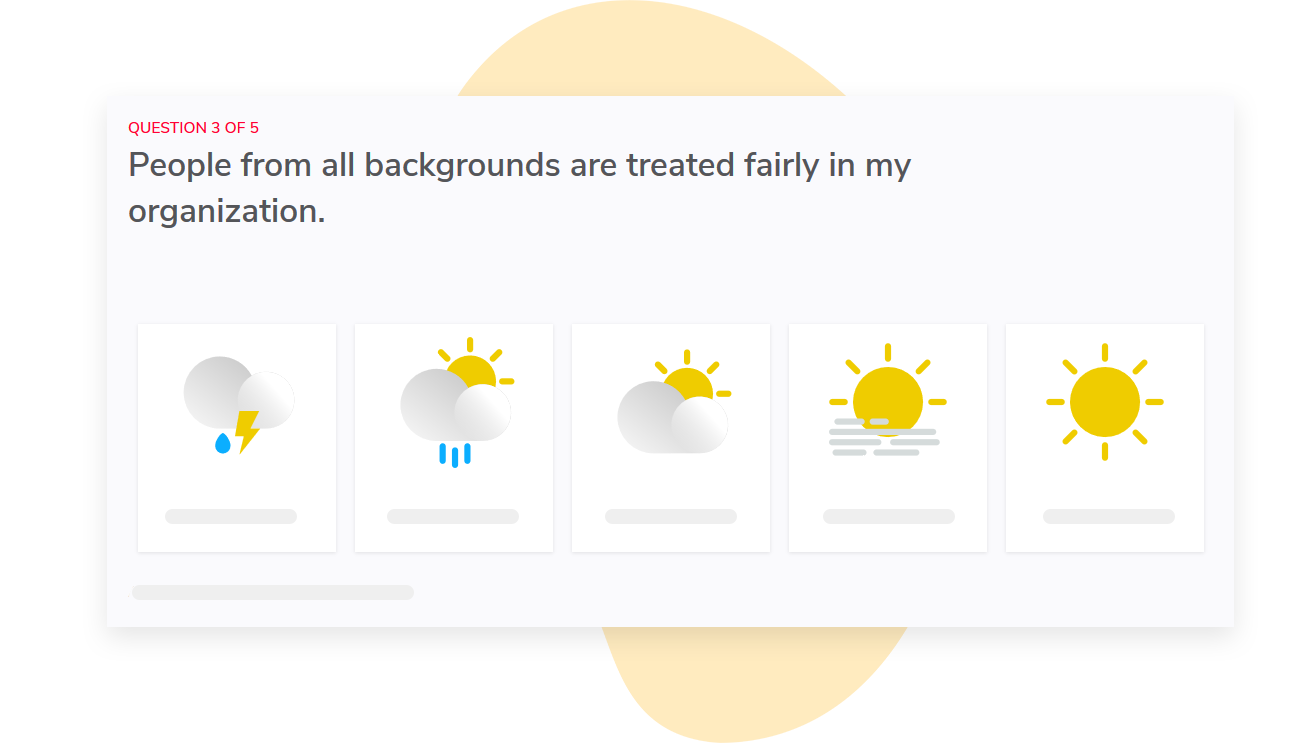
We can also customize the wording of the survey and dashboard labels, so the invitation, the questions, and the labels in the final reports correspond to the privacy explanation you provided for employee representatives. This maintains consistency so there isn’t a disconnect for employee representatives between what was explained to them during the invitation and the final reports or survey questions setup.
In a large organization, a key privacy feature is limiting report viewers to reports concerning their team only. Sparkbay automatically maps report users to the organizational hierarchy, so by default each manager only sees reports for their own teams and can’t browse a peer’s reports.
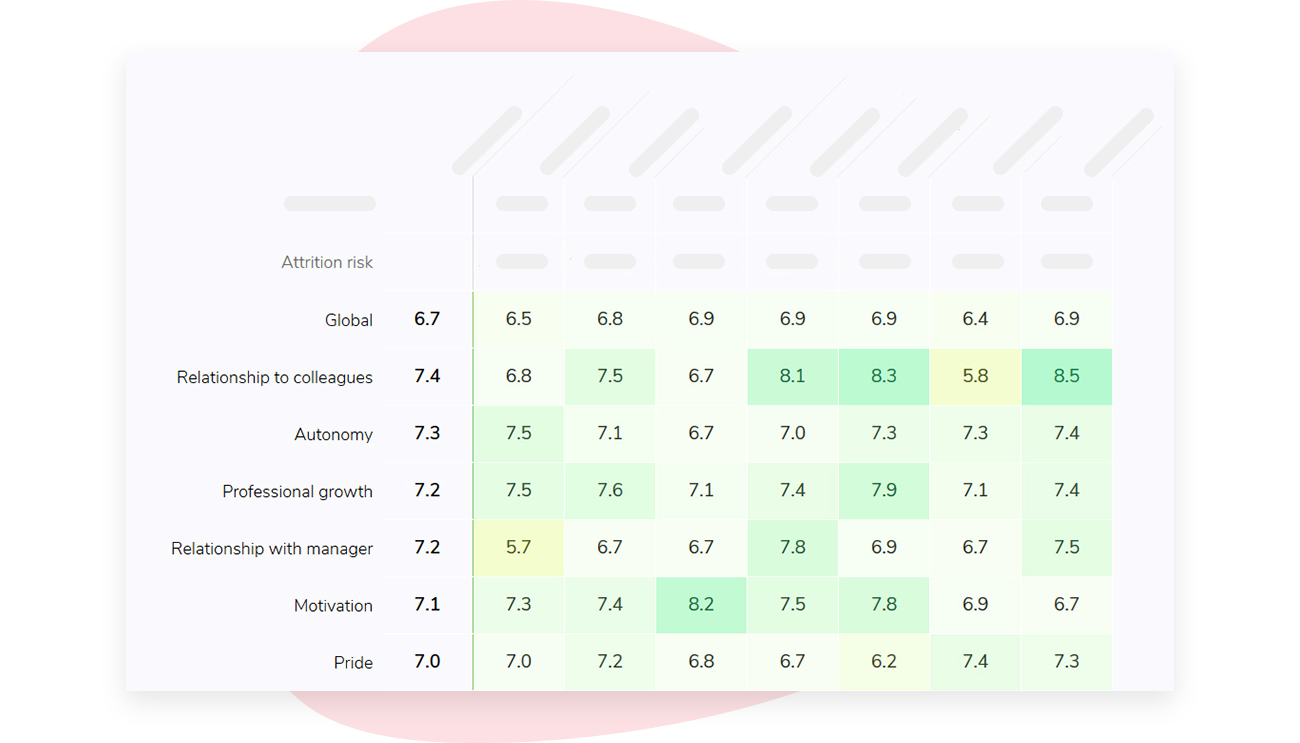
Bringing a sample report to the employee representative meeting allows you to go through the reports and group views that you plan to use, and show them what a manager would see if their group doesn’t meet the minimum number of responses.
If you’re interested in learning how Sparkbay can help you build a more engaged workforce, you can click here for a demo.
Ensure you’ve checked consultation rights and privacy rules before launching the survey
Privacy compliance and employee consultation obligations are two different things.
Just because you’ve completed a DPIA doesn’t mean you’ve met your consultation obligations. And just because you’ve received sign-off from a representative doesn’t mean you have a legal basis to collect data.
This will differ depending on your country. If the GDPR applies, for example, obtaining consent from employees is generally not a strong legal basis for data processing due to the power imbalance between employer and employee. Most employers would consider legitimate interests to be their basis for processing employee data.
In such cases, they’ll need to document their legitimate interests balancing test.
Similarly, whether or not you’ll need to complete a DPIA will depend on the risks of your project. Aspects of your survey, including questions about employee wellbeing, questions about special-category demographics, or linking employee responses to HRIS data, may all increase the likelihood that you’ll need a DPIA.
Here’s an oft-overlooked point that’ll surprise many teams: If you truly anonymize your survey results, they won’t fall under the GDPR’s scope. However, if you simply pseudonymize the data (for example, by linking responses to a token) you’re still working with personal data. Therefore, your answer to the question, "When are we no longer linked to the data?" will impact when your data protection obligations end.
In some jurisdictions, representatives may have formal rights over the use of survey tools. For example, in Germany, there’s a question as to whether works council co-determination applies to technical systems under section 87 (1) no. 6 of the Works Constitution Act.
This generally depends on whether the technical system (in this case, an employee survey) would be objectively capable of monitoring employee behavior or performance, regardless of management’s intended use.
Additionally, standardized questionnaires completed by employees may trigger separate consultation rights for employee representatives.
It’s important to seek local advice on the specific configuration of a survey you plan to use, not a generic description of what you’d like to do.
You also want to review collective agreements and existing notices.
There may have been past commitments about manager access to employee data or on employee consultation before new HR systems go live.
These may apply to your employee survey.
You’ll also want to create a short agreement for the employee survey that ensures all parties are aligned. This document can include information about the purpose of the survey, the data collected, the HRIS data that’s included to support reporting, the minimum response threshold, who data from the comments can be shared with, what the escalation process is in case an employee discloses something serious, and the dates for deleting raw data.
You may also want to include the process for updating any of these after the survey’s release. This is a time when trust among employees can break down.
You also want to see that your document includes what happens once the organization receives the results. Providing honest answers to employee surveys can be a risk for employees, even when their identities are protected.
A useful book that can guide you through this process is Albert O. Hirschman’s Exit, Voice, and Loyalty. He explains how when people feel dissatisfied with an organization, they can either choose to speak up or leave. Loyalty is what keeps an employee from leaving. Voice is speaking up. Voice is more likely when people believe they have the power and ability to effect change. If an employee survey produces no visible response, employees will learn that leaving is the better option.
So it’s important to give your employee reps dates for when the survey findings will be reviewed by leaders and when employees will hear what the next steps are.
Write an invitation that’s easy for employee representatives to support
Once the survey’s privacy setup is finalized, write a privacy promise that employees can easily compare to their survey experience.
For example, don’t write something like "100% anonymous" if there is any chance that someone involved in collecting or processing the survey data could link you to your survey response (this includes tracking responses for reminders!). If the survey is confidential, clearly indicate this instead. Explain who will have access to identifiable data and whether there will ever be a point at which it is no longer identifiable.
The invitation might include language like:
"In order to send out invitations and prevent duplicate entries, the survey provider uses individual links. Individual answers will not be shared with managers. Managers will only receive team results once a sufficient number of people have responded.
Before managers receive team results a reviewer will check written comments to ensure there are no details that could identify the respondent."
Make sure the wording reflects your actual process. If there isn’t a review process for comments, don’t say there is. If HR will have access to raw responses, say so.
You don’t want your employee representatives to have to explain a privacy feature that was promised but isn’t real.
When you’re putting together your FAQ, think about the questions employees may have. Consider including answers to questions like:
- Will my manager know whether I have answered the survey?
- Can someone link my answers back to my invitation link?
- Who will read my written comments?
- What happens if not enough people from my team respond to the survey?
- What if I write something serious in a comment, like a report of being harassed?
- How long will the survey provider/employer keep the data for?
- Where can I raise a privacy concern?
Once your privacy promise and FAQ documents are ready, send them to your representatives as well.
Check off these points before you send the survey
At this point, you should have final settings, a final version of your notice, and live sample reports.
Have one final meeting with your employee representatives to go over everything. Using the list below, you should be able to answer the following questions independently, so that you don’t have to go back to your vendor for answers.
- Survey model: Is it anonymous or confidential at each stage of the process and when?
- Access: Who has access to invitation records, raw survey answers, comments, and reports that are published?
- Small groups: What’s the minimum number of responses required in a group? Will this minimum hold for different filter combinations, overlapping groups, previous survey waves, and response rate displays?
- Comments: Who will redact comments, where will they be stored organizationally, and what comments will a line manager be able to access?
- Serious disclosures: If there’s a serious disclosure conveying harm or risk to safety in a comment, what is the agreed upon course of action? Has it been confirmed that re-identification won’t happen?
- Rules: Have you discussed the rules regarding lawful basis, DPIA, consultation rights, and collective agreements for all countries involved?
- Message: Does the content of your survey invitation, details in your FAQ, and information in your survey reminder(s) accurately reflect the real configurations of your survey?
- Follow-up: When and how will employees receive a communication on what leaders learned from the survey and what actions they plan to take?
If leaders want to drill down further, use different filters, change minimum response thresholds, or want to see more comments, keep your employee representatives in the loop.
If you’re interested in learning how Sparkbay can help you build a more engaged workforce, you can click here for a demo.