
Tell employees to speak openly about managers, pay, and workload, and most of them run a quick threat assessment first. They got a unique link by email.
They know the platform logged their session, a timestamp, and which team they sit on.
So they soften the open-text answers, skip the touchy questions, or quit halfway through. That hesitation isn’t paranoia.
It’s a fair read of how these tools tend to be built.
The word "anonymous" carries years of accumulated doubt, most of it earned. Someone watched a recognizable comment show up in a manager meeting.
Someone else saw a five-person team quietly singled out. You can’t ask people to be candid while leaving them to work out for themselves who might reverse-engineer what they said.
Before you launch, you need to know exactly what the platform collects, who can reach raw data, and whether stacked demographic filters can whittle a group down to one person. The technical setup will either back up your anonymity promise or quietly undercut it.
How anonymity is enforced: minimum-response thresholds and no re-identification
- Anonymous and confidential surveys make different promises
- Look for the hidden fingerprints in the survey process
- Control the demographic trap
- Read the vendor’s technical and contractual fine print
- Treat privacy compliance as a design requirement
- Run a pre-launch anonymity audit
- Communicate the safeguards without overstating them
- Protect trust after the survey closes
Anonymous and confidential surveys make different promises
These two words describe different risk models, and blurring them is where most HR anonymity claims fall apart.
A strictly anonymous survey means authorized employer users can’t link an answer to a named employee through the survey data or any reasonably available supporting data. That last clause does a lot of work. A dataset with no name attached but a department, a tenure band, and a job level can still point straight at one person.
A confidential survey keeps identifiers but limits who can use them and why. A unique invitation link, on its own, doesn’t make a survey identifiable to the employer.
A token can mark someone as invited or done while sitting in a separate structure from their answers.
But that separation is a design claim you verify. It isn’t a label you take from a vendor’s website.
- Anonymous: Authorized employer users cannot connect an individual with their answers.
- Confidential: A limited number of authorized people or systems can make that connection, but policies and access controls restrict its use.
- Pseudonymous: The system replaces direct identifiers with codes, but someone may still hold the key needed to reconnect the records.
- Aggregated: Reports combine answers from several respondents, although identifiable raw data may still exist underneath.
The category dictates the promise you can make. "Your manager will receive aggregated results" and "Nobody can trace an answer back to you" are not interchangeable.
Use the narrowest wording your technical design, your contract, and your internal access model can actually back up. Overstating anonymity is an employee-relations risk, and in some jurisdictions a compliance one too.
How to choose between the two
Anonymous is the right default when you want honest sentiment on leadership, culture, or pay and have no reason to follow up with individuals. Confidential fits when you need to route a serious disclosure for investigation, or reach out to someone signaling distress - but only if you tell employees plainly that their identity is retained.
The mistake to avoid: running a confidential design while marketing it as anonymous. That gap is exactly what employees learn to sniff out, and once they do it poisons every survey after it.
Look for the hidden fingerprints in the survey process
The identifying information rarely sits in the answers on screen. It sits in the exhaust around them.
Get HR, IT, privacy, and the vendor in a room and map every data point from invitation through deletion.
Unique invitation links
Don’t ask whether links are unique - they usually are, for reminders and participation tracking. Ask whether invitation status is stored separately from survey content, and whether any administrator, database operator, support engineer, or automated process can rejoin the two tables.
Authentication and single sign-on
SSO proves who opened the survey. Unless the platform cuts that identity away from the response before storing it, the login is a fingerprint.
Logging out or using an incognito window changes nothing here. The data flow decides this, not the browser.
Network and device metadata
IP addresses, session identifiers, cookies, timestamps, language, device strings - each one narrows the pool of possible respondents. Ask which fields are captured, how long they’re kept, and whether any of them can turn up next to response data in an export or a support view.
Security logs and survey reporting should live in separate systems.
Time-based clues
A timestamp becomes an identifier the moment a manager knows one employee took the survey during a specific shift or one-on-one. Have the vendor strip or generalize timestamps in everything employer-facing, and lock down the operational logs that keep exact times.
Open-text responses
Free text can de-anonymize a person without any technical identifier at all: a named incident, a client, an accommodation request, a phrase everyone recognizes as theirs. Set redaction rules before launch, and make it an explicit conduct rule that no one opens an inquiry into who wrote something based on style, timing, or context.
Control the demographic trap
Aggregation protects people only while the group stays large. Filters chip away at that.
A 40-respondent department becomes 12 once you filter by location, four by tenure band, one by job level - and the manager already knows who fits that profile. No name ever appears on the dashboard.
Apply thresholds after every filter
The minimum-response threshold has to apply to the final filtered cell, not the parent team, and it has to cover scores, distributions, comments, comparisons, exports, and drill-downs alike. Suppression that guards the dashboard but not the export isn’t protection.
Common practice lands somewhere around five to ten. Treat that as a floor you calibrate to context, not a rule.
Five may be perfectly safe for engagement items across a large division and dangerously thin for a niche role, a small site, or anyone with a distinctive reporting line.
Watch for subtraction attacks
This is the failure most thresholds miss. A leader who can view a six-person group, then separately view that group minus one known departure, can infer the excluded person’s answers from the difference.
Ask specifically whether the platform blocks complementary filters and repeated slicing. Static suppression alone won’t.
Limit sensitive demographic fields
Every field you add buys you analytical granularity and sells you re-identification risk. Look hard at the intersections - department × location × tenure × age band × job level × employment type - not the fields one at a time.
Drop the low-value ones, merge narrow categories, or hand them only to a central analyst tier.
Decide in advance where comments from suppressed groups go. Roll them up to a larger parent and you keep the theme; display them beside a three-person team and you’ve handed over the author.
Read the vendor’s technical and contractual fine print
"Does the platform support anonymous surveys?" invites a yes/no answer when what you need is a data-flow answer. Get the answers in writing, then fold the agreed controls into the DPA or contract.
Marketing copy isn’t a commitment.
Ask how identification works
- What information enters the platform when HR uploads or synchronizes the employee list?
- How does the platform create and distribute unique survey links?
- Can the system connect invitation records with individual answers?
- Can an employer administrator make that connection through the interface, an export, an application interface, or a support request?
- Can vendor personnel access identifiable records, and under which approval process?
- Does the platform record IP addresses, exact timestamps, device data, cookies, or authentication identifiers?
- How does it separate security logs from response records?
Inspect reporting safeguards
- What minimum response threshold applies by default?
- Can HR raise the threshold for sensitive surveys or small populations?
- Does suppression apply after every filter and cross-tabulation?
- How does the system protect open-text comments?
- Can users export data that the dashboard would otherwise suppress?
- Can managers compare overlapping groups and infer an individual result?
- Does the platform record who opened, filtered, downloaded, or shared a report?
Verify storage and deletion
Document where processing and backups happen, name every subprocessor, and pin down how the vendor vets them. Set separate retention periods for employee attributes, raw responses, logs, exports, and backups.
Make the vendor spell out what "deletion" means when backups expire and when the contract ends.
Examine independent security evidence
A certification proves the vendor runs a structured information security management system. It says nothing about whether a given survey configuration is anonymous.
Read the scope, the covered services, the legal entity, and the validity window. Sparkbay, for example, holds ISO 27001 certification - but you still assess the specific thresholds, access rules, and contract terms for each rollout, because those, not the certificate, are what determine anonymity.
Treat privacy compliance as a design requirement
Survey responses can hold special-category data - health-related workload concerns, misconduct allegations, demographic detail - and personal data exists during collection even when only aggregates ever get reported.
Have local privacy and employment counsel decide which rules apply in each jurisdiction you’re covering, rather than exporting the headquarters process wholesale. Works councils and consultation obligations, in particular, vary by country and are easy to trip over.
Define the purpose before collection
"Improving the employee experience" is not a purpose you can defend or bound. Name the concrete uses - engagement tracking, workload pressure, departmental comparison, manager action plans - and name the prohibited ones just as plainly: individual performance decisions, and any attempt to identify critics.
Collect the minimum data
Minimization applies to the questionnaire, the employee file, the metadata settings, and the reporting filters. If you can’t name the decision a field will inform, don’t collect it.
And don’t lean on consent as your legal basis without testing whether the employer-employee power imbalance leaves it freely given at all. In much of Europe, it doesn’t.
Document rights and responsibilities
Notices should name the controller, the vendor’s role, the purpose, retention, access controls, privacy rights, and any limits on anonymity. Assign named owners for subject requests, incidents, deletion, and vendor oversight, and keep an audit trail of configuration decisions, threshold changes, and administrator access.
Where consultation bodies have a role, bring them in early enough to shape the design. A late notification delays launch and, worse, confirms every suspicion employees already had about your intent.
Run a pre-launch anonymity audit
Anonymity is a control you test across the whole workflow, not a paragraph in the launch email.
- Map the data flow: Trace employee information from the HR system or upload file through invitations, responses, reports, exports, backups, and deletion.
- Classify the survey correctly: Decide whether it is anonymous, confidential, pseudonymous, or a combination at different stages.
- Check metadata: Confirm how the platform handles IP addresses, timestamps, authentication details, cookies, device data, and security logs.
- Test unique links: Verify whether the platform separates completion tracking from response content.
- Set thresholds: Apply suppression to scores, comments, filters, comparisons, and exports.
- Test small groups: Use sample teams with five, six, and ten respondents, plus distinctive demographic combinations.
- Test subtraction: Compare overlapping filters to see whether a user can infer one employee’s answers.
- Review comments: Define redaction, moderation, translation, and escalation rules before employees submit text.
- Audit access: List every internal and vendor role that can view, administer, export, or support the survey.
- Set retention: Establish deletion dates for response data, employee attributes, exports, logs, and backups.
- Review the contract: Confirm security duties, breach handling, subprocessors, deletion, support access, and end-of-contract procedures.
- Approve the wording: Ask HR, privacy, legal, information security, and employee-relations stakeholders to check every anonymity claim.
Run the test with accounts carrying real production permissions - a central admin, a regional HR lead, a department head, a line manager - and confirm each one sees only what their role should. Screenshot the results and archive the configuration.
That’s the evidence that lets you answer an employee’s challenge, or look into an access concern, after launch.
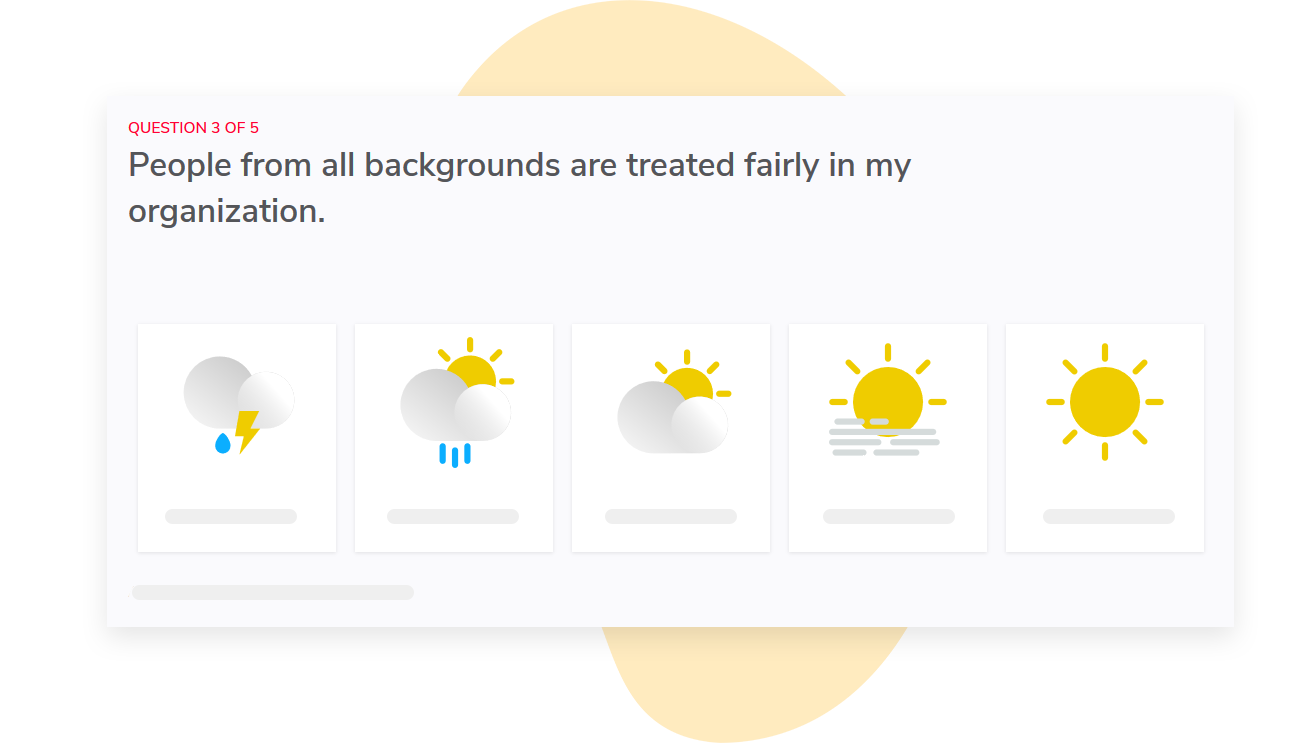
Sparkbay automatically collects employee feedback at regular intervals, often through monthly pulse surveys. It presents the findings in intuitive reports with a clear engagement score out of 10, so teams can track movement without relying on isolated annual results.
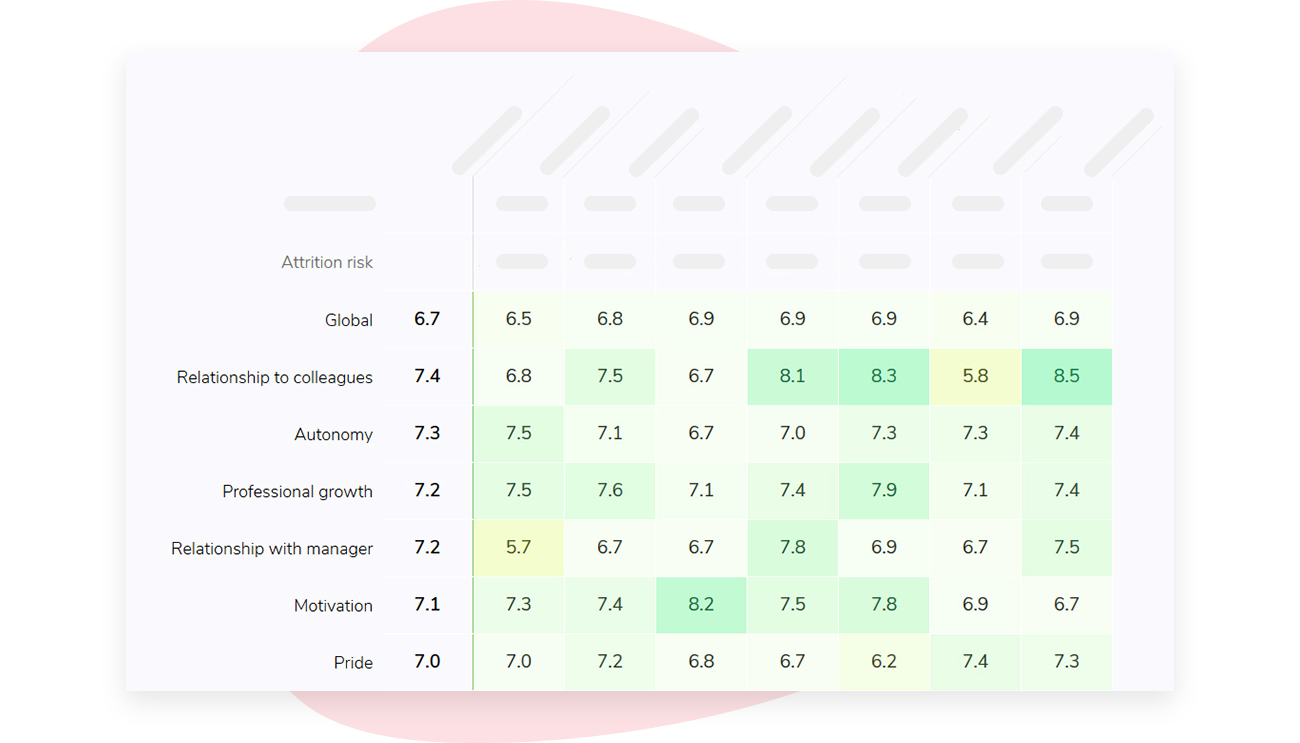
HR teams can segment Sparkbay results by manager, department, tenure, and other relevant workforce attributes.
Those cuts help large organizations find where a problem is concentrated, but they need real safeguards behind them. Sparkbay hides results below a configurable minimum number of responses, with five as the default, so employer users can’t see results for any group that falls under the set threshold.
Sparkbay is highly configurable. Organizations can adapt survey wording, dashboard wording, and dashboard content to match their employee population, reporting model, and privacy commitments.
The platform also maps report access automatically to the organization hierarchy. Each manager sees only their own teams, which cuts down manual permission work and helps stop managers from browsing results outside their responsibility.
Once managers have their results, Sparkbay gives them a library of easy-to-implement actions tied to the areas they need to improve. That helps HR move from measurement to action without weakening anonymity through informal hunts for individual respondents.
If you’re interested in learning how Sparkbay can help you build a more engaged workforce, you can click here for a demo.
Communicate the safeguards without overstating them
Employees don’t want the architecture diagram. They want answers to the handful of questions that decide whether they speak honestly: who runs this, what gets collected, how invitations work, who sees the reports, what threshold applies, how comments surface, and how long the data sticks around.
Put those in the invitation itself and link out to the full notice.
Replace broad claims with testable statements
Never write "completely anonymous" unless the audit backs that exact claim. Absolute language leaves no room for operational logs, vendor access, or self-identifying comments. Try instead: "Managers receive aggregated results only when at least five employees respond. They cannot see individual answers, and groups below the threshold remain hidden."
If participation is tracked separately from responses, say so: "The system records whether you completed the survey so it can stop reminders, but managers cannot connect your completion record with your answers."
And if central HR can see what managers can’t, disclose that gap. Don’t dress restricted access up as anonymity.
Explain the limits of comment protection
Tell employees straight that a comment can identify them through recognizable detail. Ask for specifics on the issue, but not names or personal context that isn’t needed.
And make clear whether the survey is a formal reporting channel for serious allegations or safety concerns, or whether those have to go through a separate, investigable process.
Brief managers before employees respond
A sound platform can be undone by one manager asking who wrote something. Give them explicit rules, with examples.
- Do not ask employees how they answered.
- Do not speculate about comment authors.
- Do not compare team schedules with survey activity.
- Do not export or forward reports outside the approved audience.
- Discuss themes and actions rather than defending individual scores.
- Escalate threats, harassment, or other serious issues through the approved process.
Protect trust after the survey closes
Employees judge anonymity by what leaders do with the results, not by the privacy notice. One recognizable comment repeated out loud erases months of preparation.
Report at the level you promised. If you change a threshold or a reporting rule after you’ve seen the data, document why and check it back against what employees were told.
Loosening the rules after the fact is precisely what destroys trust.
Coach leaders to own the hard findings without hunting for authors: "Several comments describe unclear priorities, so we will review workload and decision rights," rather than "We need to find out who thinks priorities are unclear."
Close the loop with a few visible actions, named owners, and dates, then use later pulses to see whether the promised change actually landed.
Monitor dashboard access, flag unusual exports or repeated filtering, and pull access the moment someone changes role or leaves. Re-run the anonymity review every cycle.
A reorganization that carves a 200-person division into a handful of five-person teams can quietly invalidate a design that was sound last quarter.
Anonymity must be earned before every rollout
The label protects no one. Data separation, thresholds, access controls, contracts, retention, manager conduct, and precise communication protect people - working together, or not at all.
Verify each layer before you ask employees to talk about pay, leadership, or culture. And if the process is confidential rather than anonymous, say so, and name the controls.
A broken promise suppresses participation for cycles, not one survey. A well-tested one works the other way: employees know the boundaries, managers work the patterns, and you get feedback you can act on without exposing the people who gave it to you.
If you’re interested in learning how Sparkbay can help you build a more engaged workforce, you can click here for a demo.